CRM WhatsApp
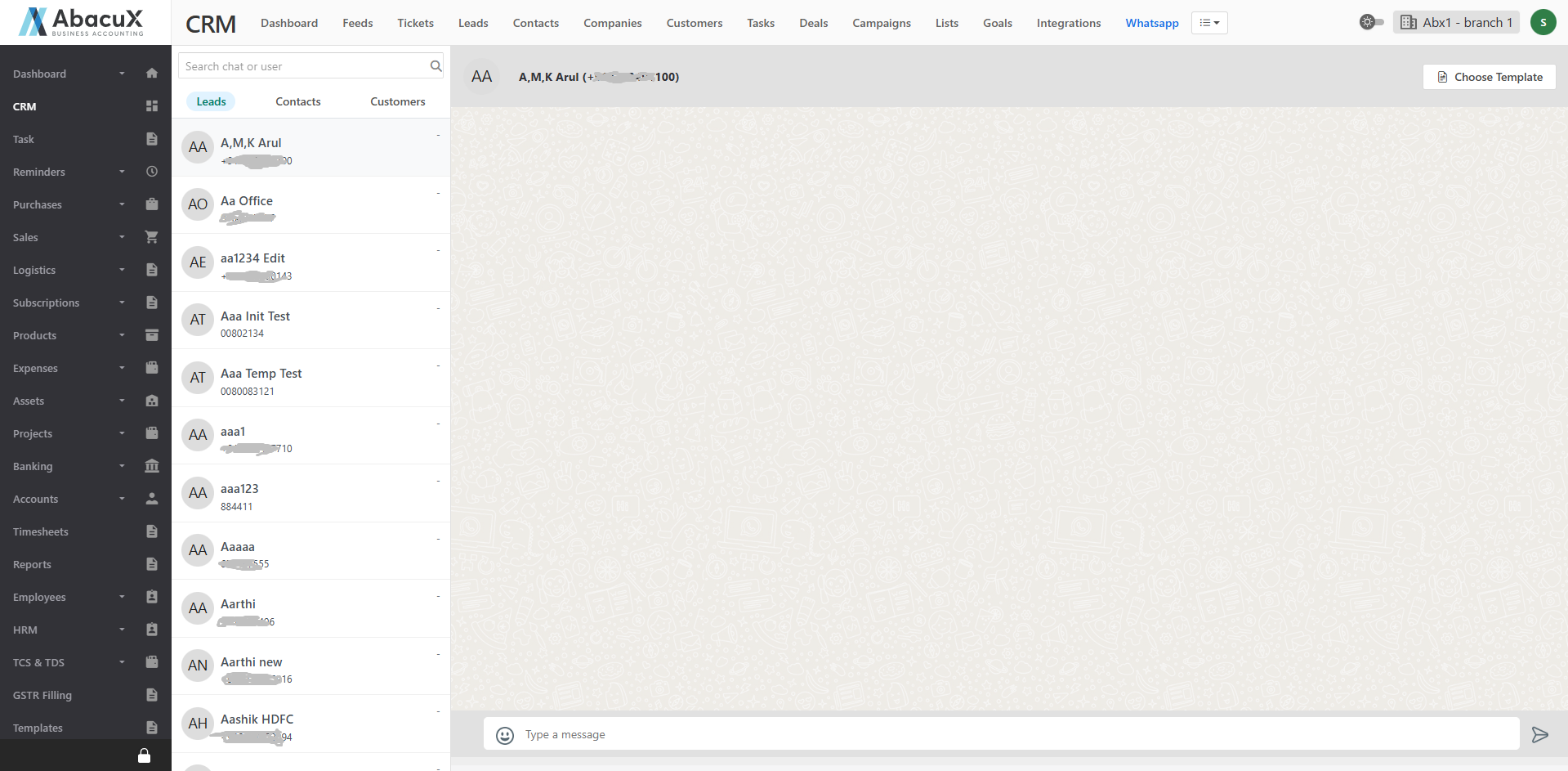
- Click on the WhatsApp link available in the CRM module to open the WhatsApp communication screen.
-
The WhatsApp interface is divided into two main sections:
Left Panel: Displays a list of Leads, Contacts, and Customers.
Right Panel: Displays the WhatsApp chat screen.
-
Select a Lead, Contact, or Customer from the left panel to view or initiate a chat.
-
You can send WhatsApp messages directly to the selected person from the chat screen.