Lists
Lists
The Lists module in the CRM allows users to create and manage categorized lists of Leads, Contacts, or Customers for targeted communication and automation activities. It helps in organizing and segmenting records efficiently for marketing, outreach, and automation purposes.
Managing Lists
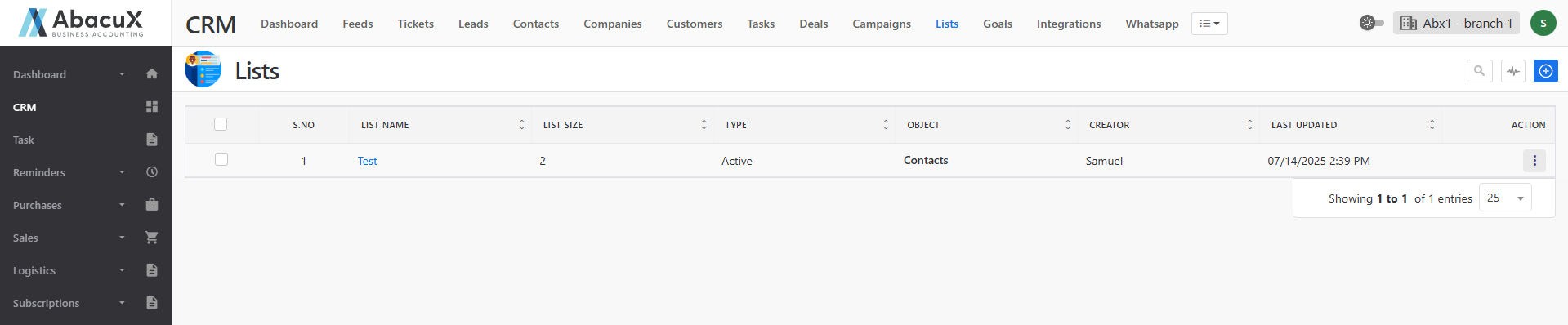
- Click the Lists menu in the CRM to view all the available lists.
-
To create a new list, click the “+” icon located at the top-right corner of the page.
-
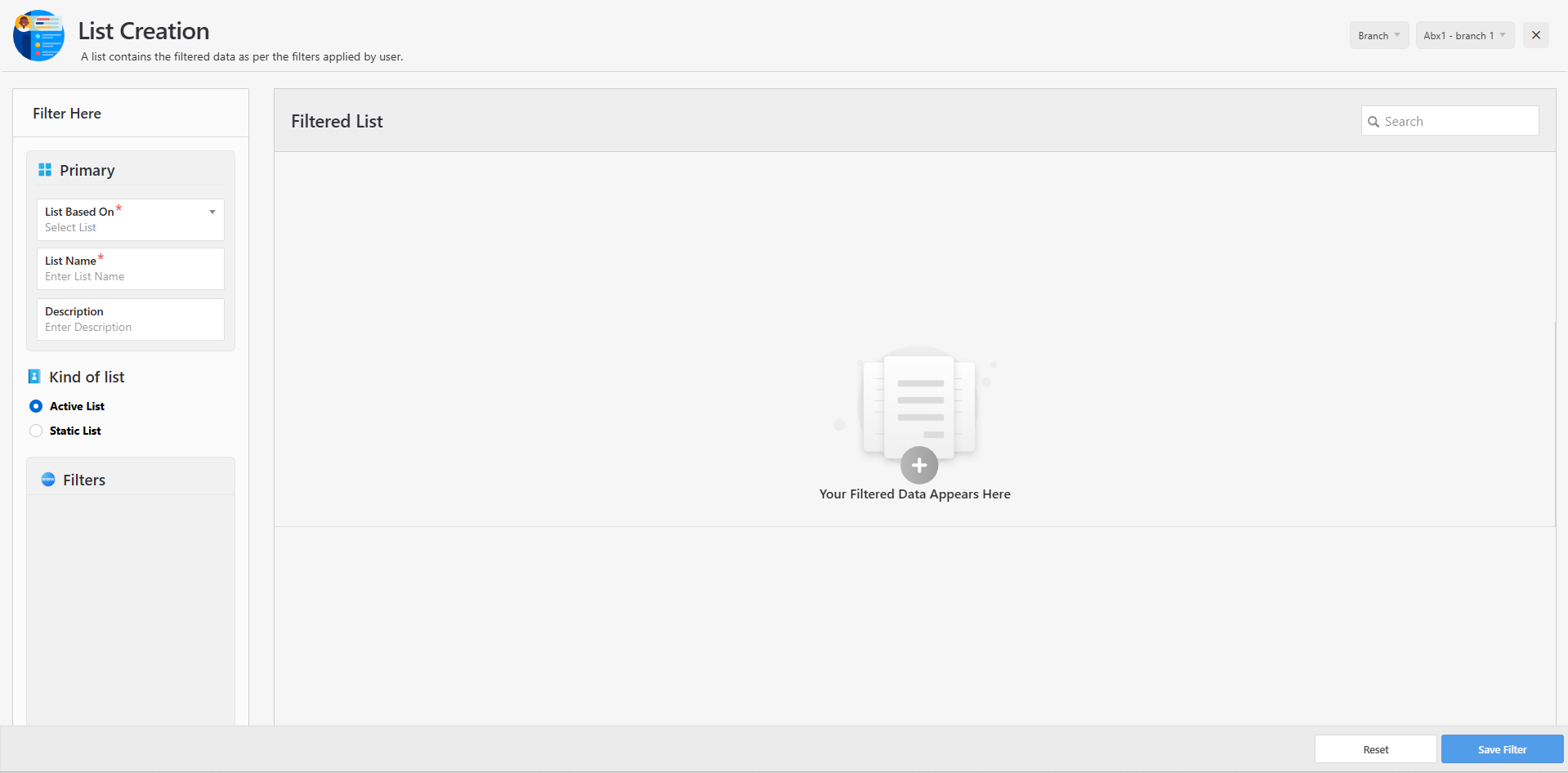
A form will open to enter the details of the new list.
-
In the form, select the type of list (such as Leads, Contacts, or Customers) and configure the required options.
-
Based on the selected criteria, the list will automatically retrieve and display records of the chosen type.
-
Once saved successfully, a success message will appear on the listing page.
-
If there is an issue while saving the list, an error message will be displayed.
List Profile
-
Click on the list title to open the List Profile page.
-
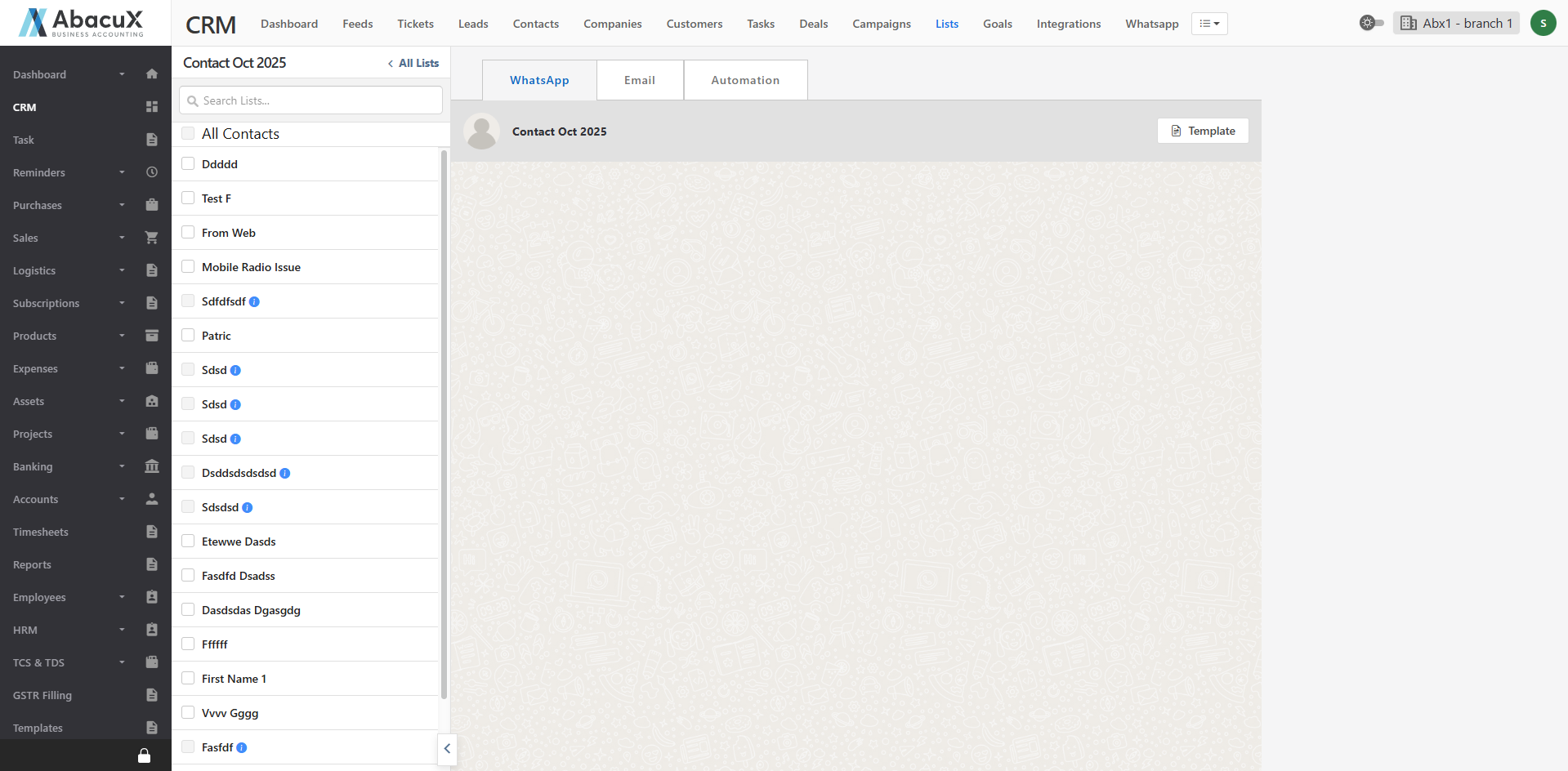
The List Profile page is divided into two main sections
-
The left panel displays the available Leads, Contacts, or Customers included in the list, depending on the selected type.
-
The middle panel provides various tools and communication options through the following tabs:
WhatsApp – Allows you to send WhatsApp messages directly to the selected Leads, Contacts, or Customers.
Email – Enables you to compose and send emails to the selected recipients.
Automation – Provides integration with third-party applications for automating communication workflows, such as sending messages or emails through external service providers.