Companies
CRM Companies
The Companies module in the CRM system is designed to manage and organize all company-related information efficiently. It provides users with the ability to add, edit, and track company details along with associated activities, leads, and contacts.
Managing Companies
-
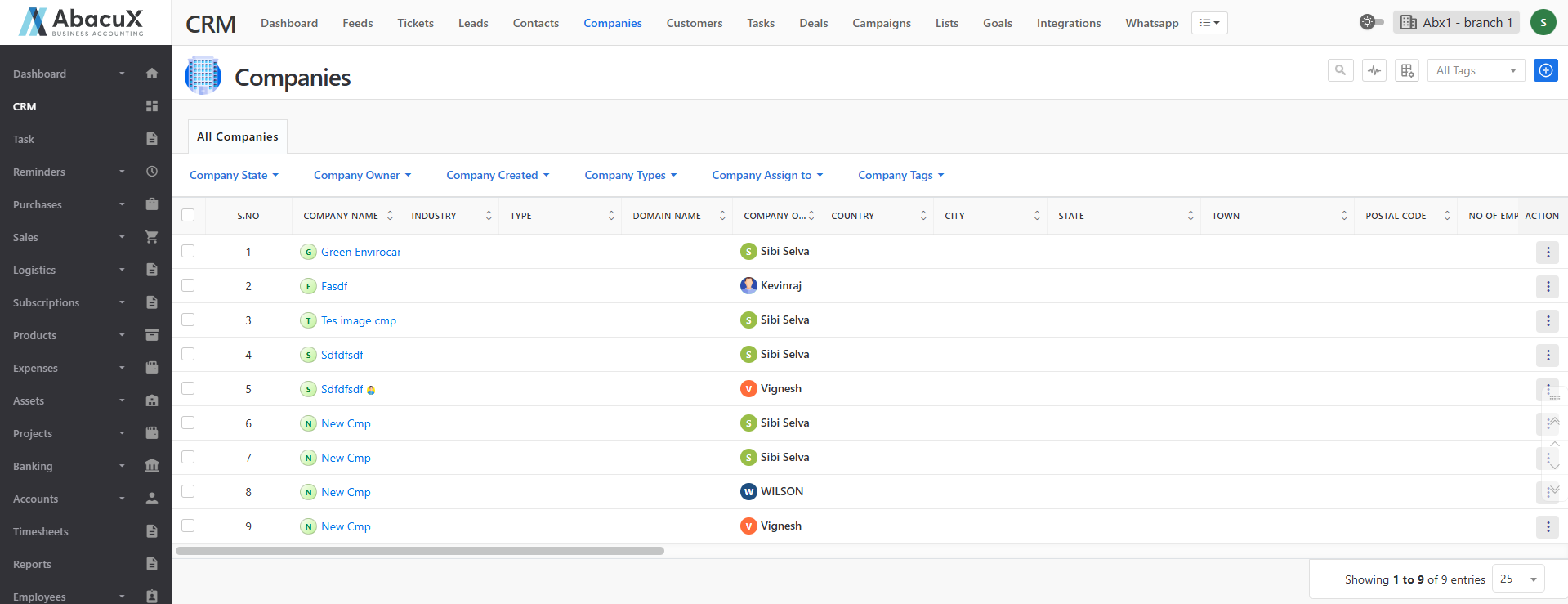
Click on the Companies menu in the CRM section to view the list of all companies.
-
The list is displayed with default filters such as Company Type, Company Owner, etc.
-
To add a new company, click the “+” icon located in the top-right corner.
-
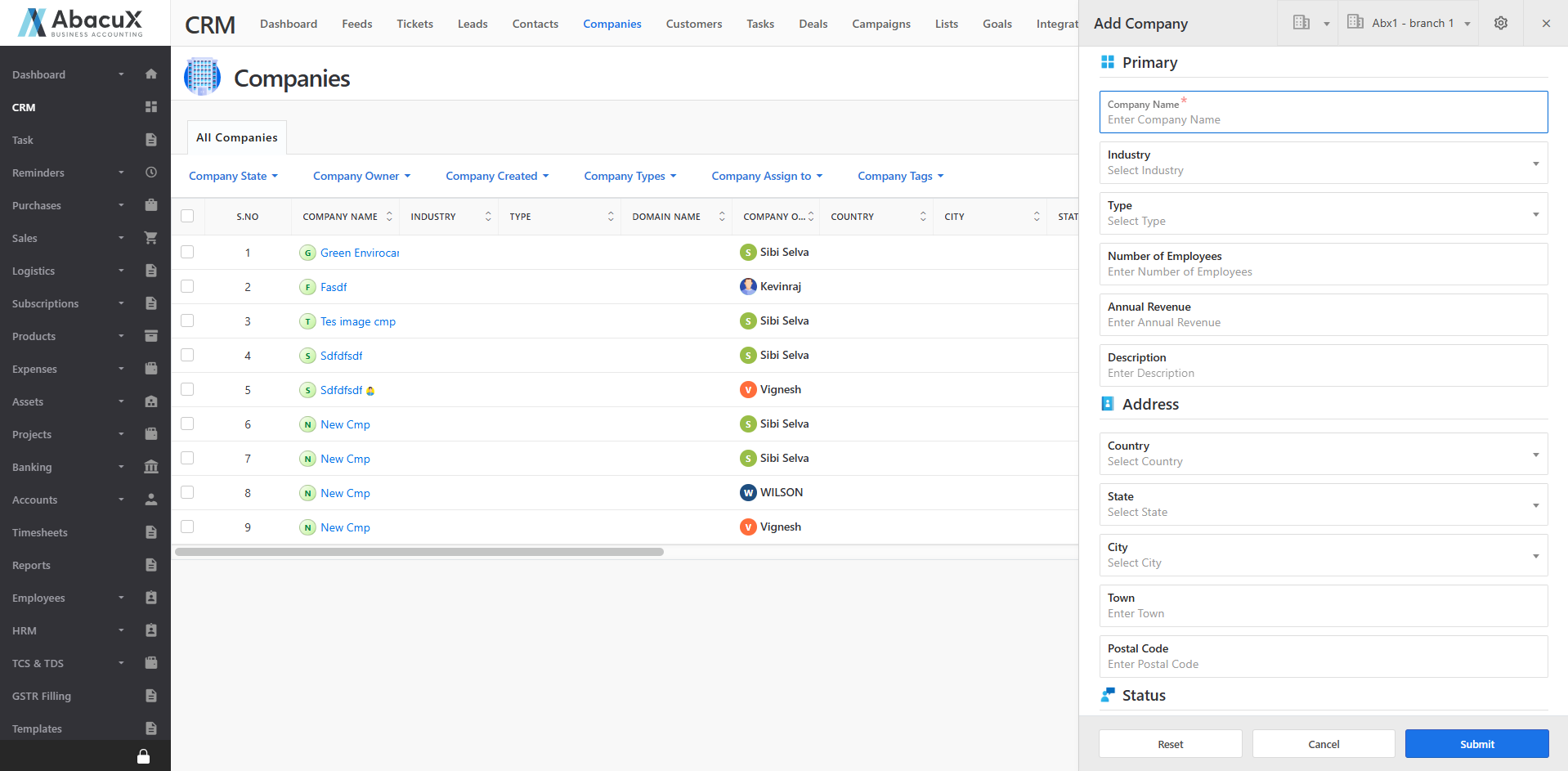
This opens a form to enter the details of the new company.
-
Fill in all the required fields and click Save to create a new company record.
-
Upon successful saving, a success message will appear on the listing page.
-
If there is any issue while saving, an error message will be displayed on the screen.
Company Profile
The Company Profile page provides detailed information about a selected company and allows users to manage related activities, tickets, and transactions.
Accessing the Company Profile
-
Click on a company name from the list to open its Company Profile page.
-
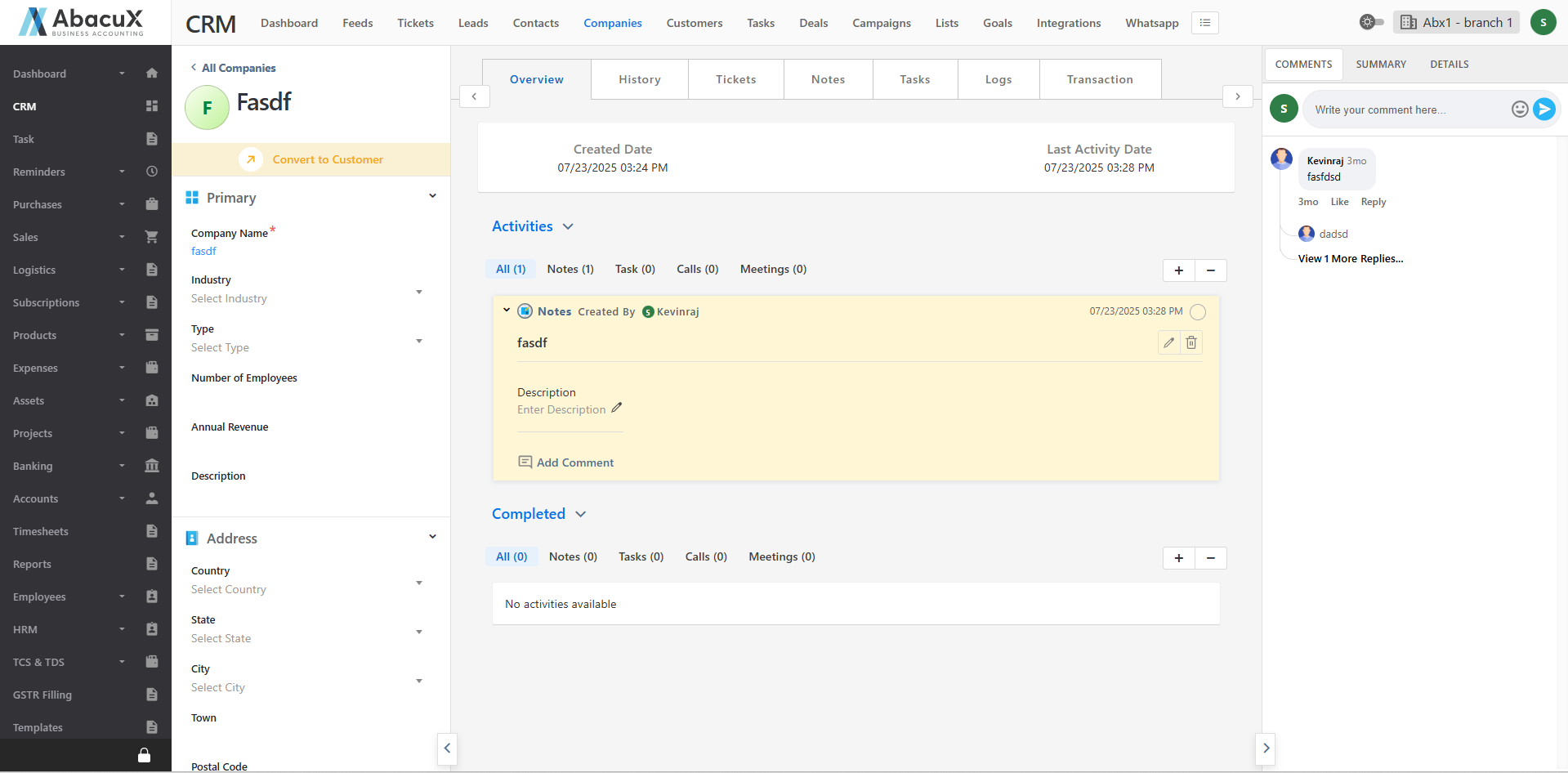
The profile page is divided into three main sections for easy navigation and management.
Left Panel
Displays the company details with an editable option to modify or update the information as required.
Middle Panel
The middle panel includes several tabs for managing different aspects of the company:
Overview: Displays the company’s overall activities, including active and completed actions.
History: Shows a chronological record of all company-related updates and interactions.
Tickets: Used to manage support or service tickets associated with the company.
Notes: Allows creation and management of notes related to the company.
Tasks: Enables users to create, assign, and manage tasks for the company.
Logs: Maintains a record of call logs and meeting logs related to the company.
Transaction: Displays and manages all related Leads, Contacts, Deals, and Quotes associated with the company.
Right Panel
The right panel provides quick access to communication and summary sections through the following tabs:
Comments: Used to post, view, and manage comments or replies related to the company.
Summary: Provides a summarized view of the company’s information and performance.
Details: Displays and manages related Customers, Contacts, Leads, Deals, and Quotes linked to the company.