Campaigns
CRM Campaigns
The Campaigns module in the CRM helps you plan, manage, and track marketing and promotional campaigns effectively. It provides a centralized platform to organize campaign activities, monitor performance, and manage related leads, contacts, and deals.
Managing Campaigns
-
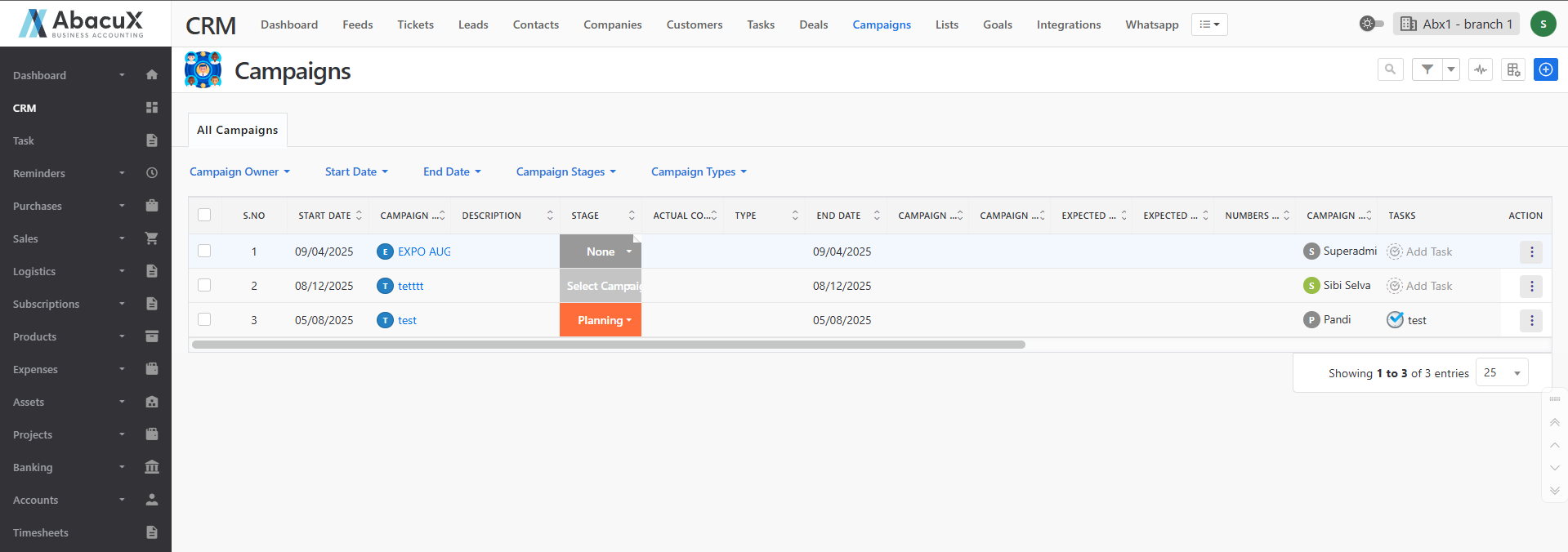
Click the Campaigns menu in the CRM to view the list of all campaigns.
-
The campaign list is displayed with default filters such as Campaign Type, Campaign Stage, Start Date, and End Date.
-
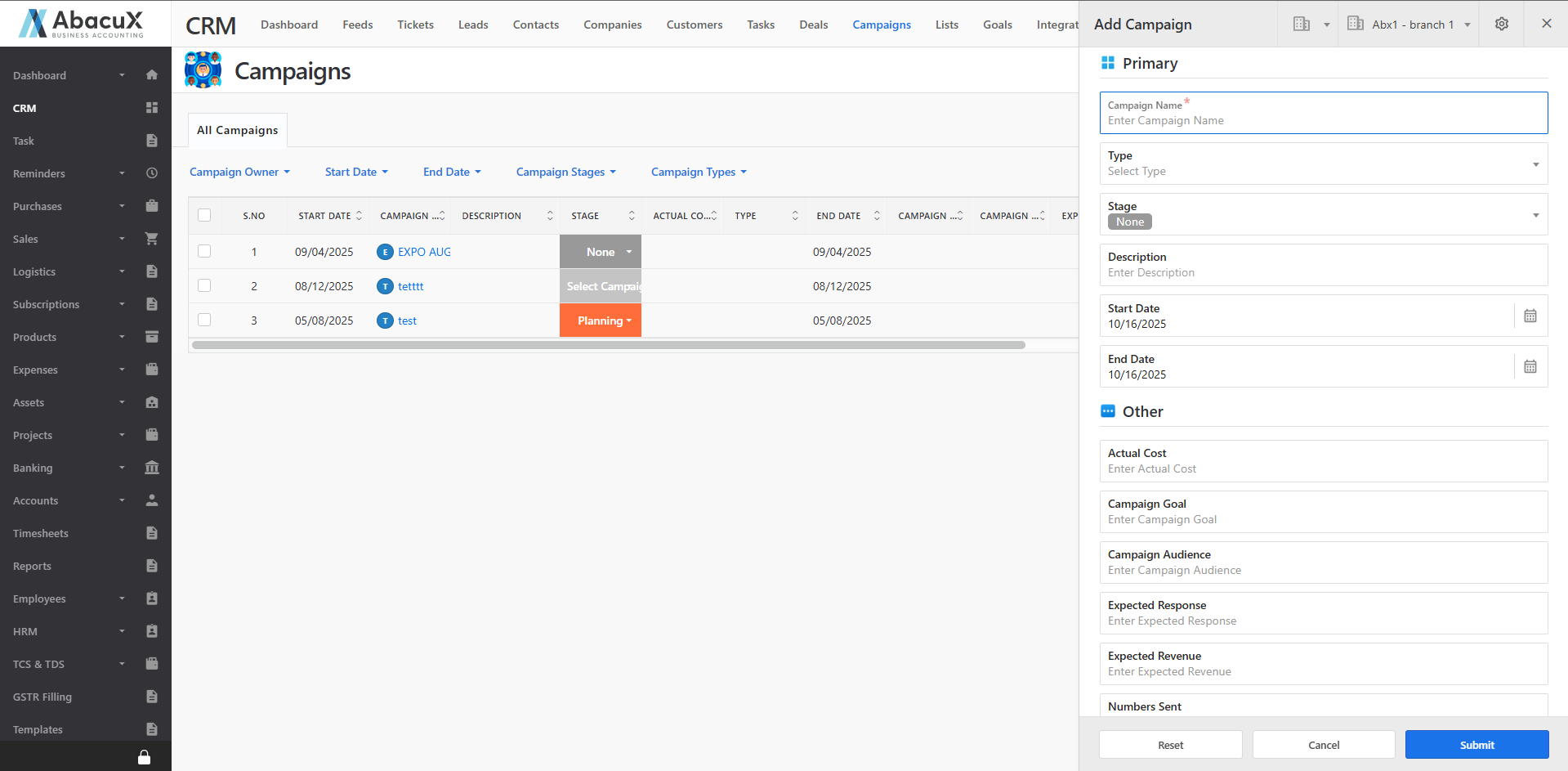
To add a new campaign, click the “+” icon located at the top-right corner of the page.
-
A form will open to enter the campaign details.
-
Fill in all the required fields and click Save to create the campaign.
-
Once saved successfully, a success message will appear on the listing page.
-
If there is an issue while saving, an error message will be displayed.
-
Click the Filter icon to refine the campaign list based on selected criteria.
-
Click the Beat icon to view all activities related to campaigns.
Campaign Profile
-
Click on a campaign name from the list to open the Campaign Profile page.
-
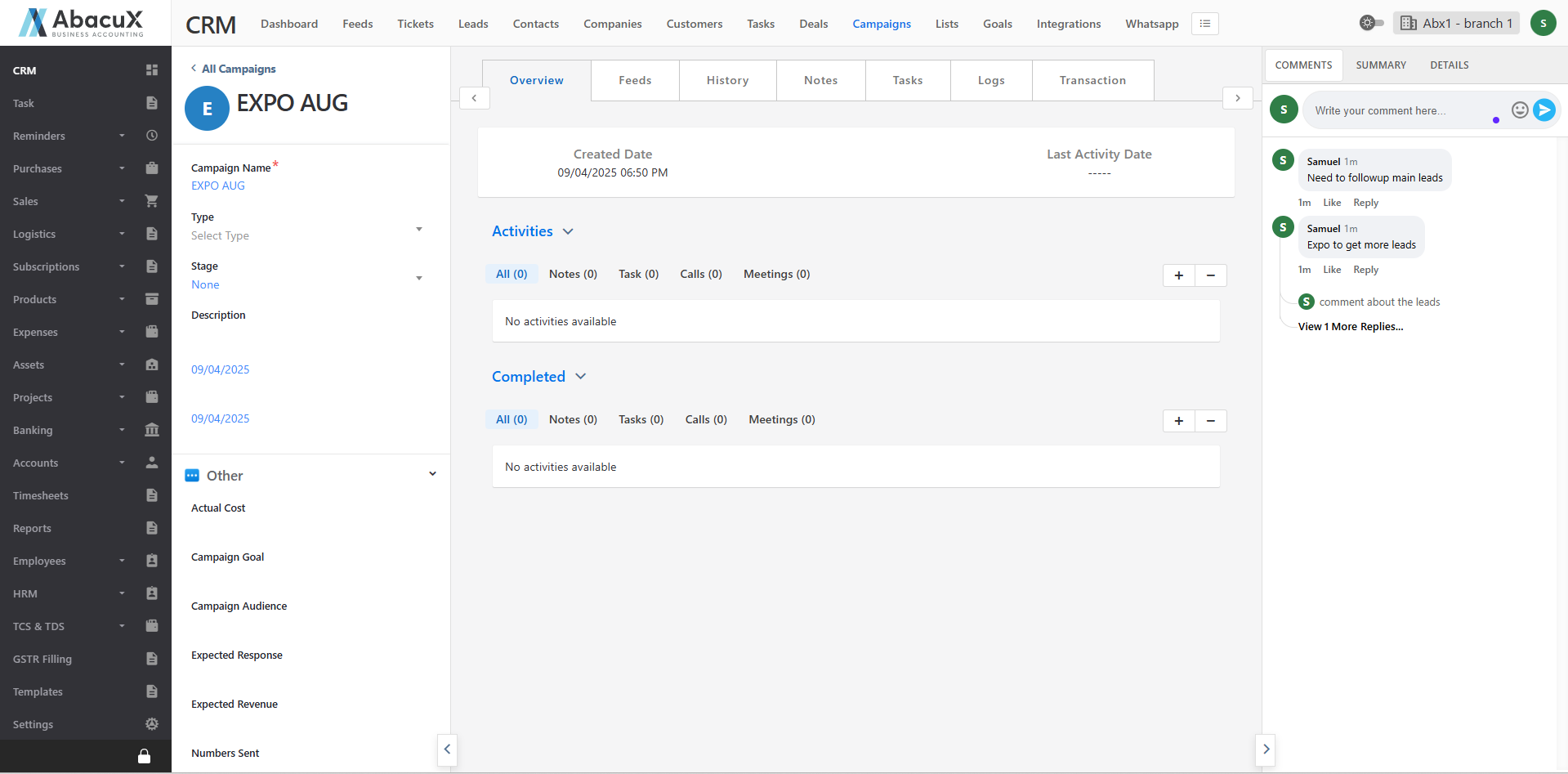
The Campaign Profile page is divided into three main sections.
Left Panel
Displays the campaign details with an editable option for updating information as needed.
Middle Panel
This section contains the following tabs:
Overview – Displays all completed and ongoing activities related to the campaign.
Feeds – Used to manage feeds, allowing users to add data to Leads, Contacts, Tickets, or post a blog related to the campaign.
History – Shows the detailed history and timeline of the campaign.
Notes – Allows you to create and manage notes related to the campaign.
Tasks – Displays and manages all tasks associated with the campaign.
Logs – Manages call logs and meeting logs related to the campaign.
Transaction – Displays and manages all related Leads, Contacts, Customers, Deals, and Quotes.
Right Panel
This section provides quick access to communication and summary options through the following tabs:
Comments – Used to post, view, and manage comments or discussions related to the campaign.
Summary – Provides a summarized view of the campaign’s key details and activities.
Details – Displays additional related information, including Lead, Contact, Deal, and Quote details.