Customers
CRM Customers
The Customers module is designed to manage customer information, track interactions, and maintain communication history efficiently. It provides a centralized place to store and update customer data and monitor related activities such as tickets, tasks, and communications.
Managing Customers
-
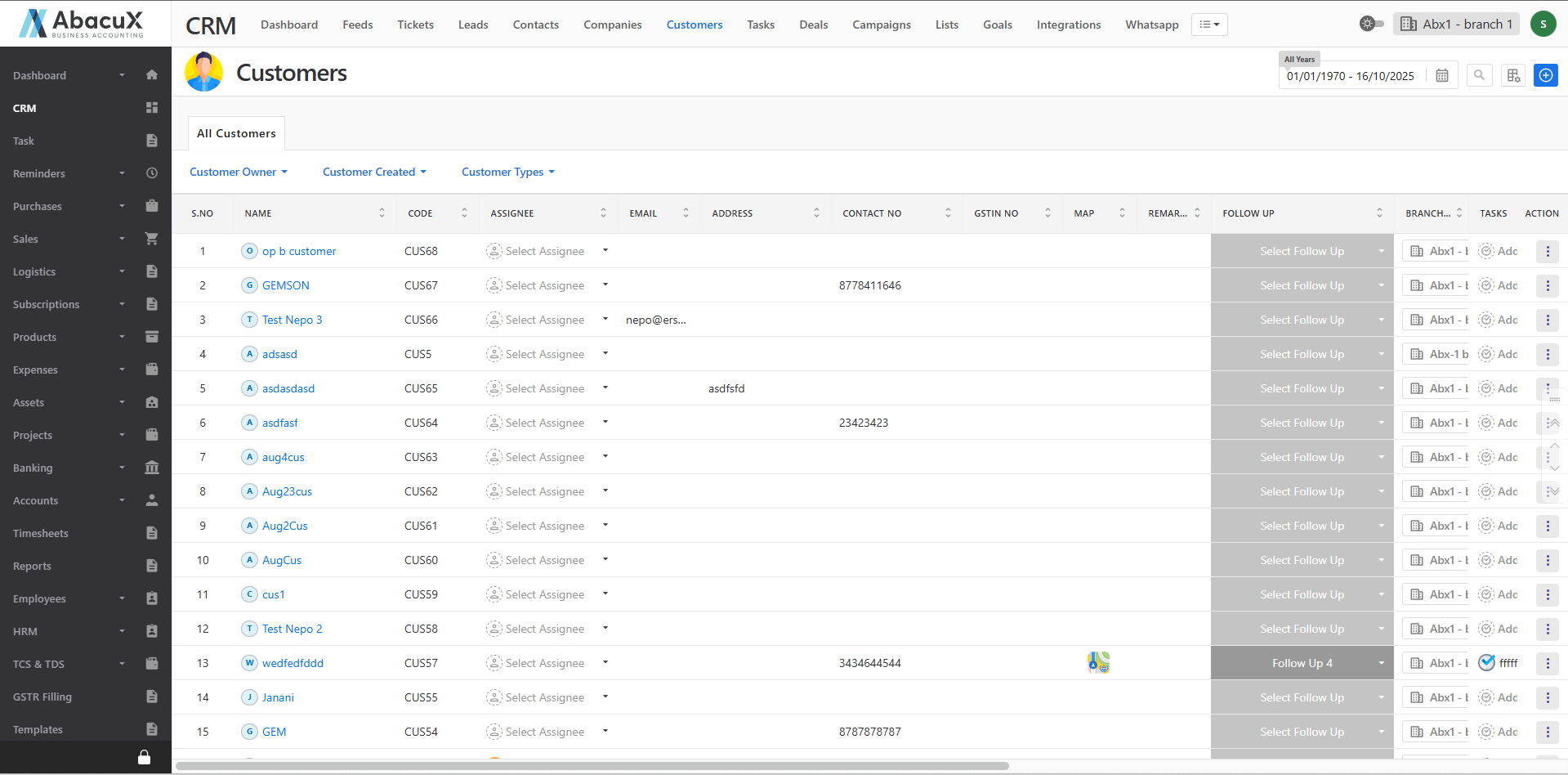
Click on the Customers menu to view the list of all customers.
-
The customer list is displayed with default filters such as Customer Created, Customer Type, etc.
-
To add a new customer, click the “+” icon located at the top-right corner.
-
This will open a form where you can enter the customer’s details.

-
Fill in all the required fields and choose either Save or Save and Send via WhatsApp.
-
Upon successful saving, a success message will appear on the listing page.
-
If there is any issue during the save process, an error message will be displayed on the screen.
Customer Profile
The Customer Profile page provides a detailed view of the customer’s information, including their interactions, communications, and related records. It allows users to manage all activities and history associated with each customer.
Accessing the Customer Profile
-
Click on the customer name from the list to open the Customer Profile page.
-
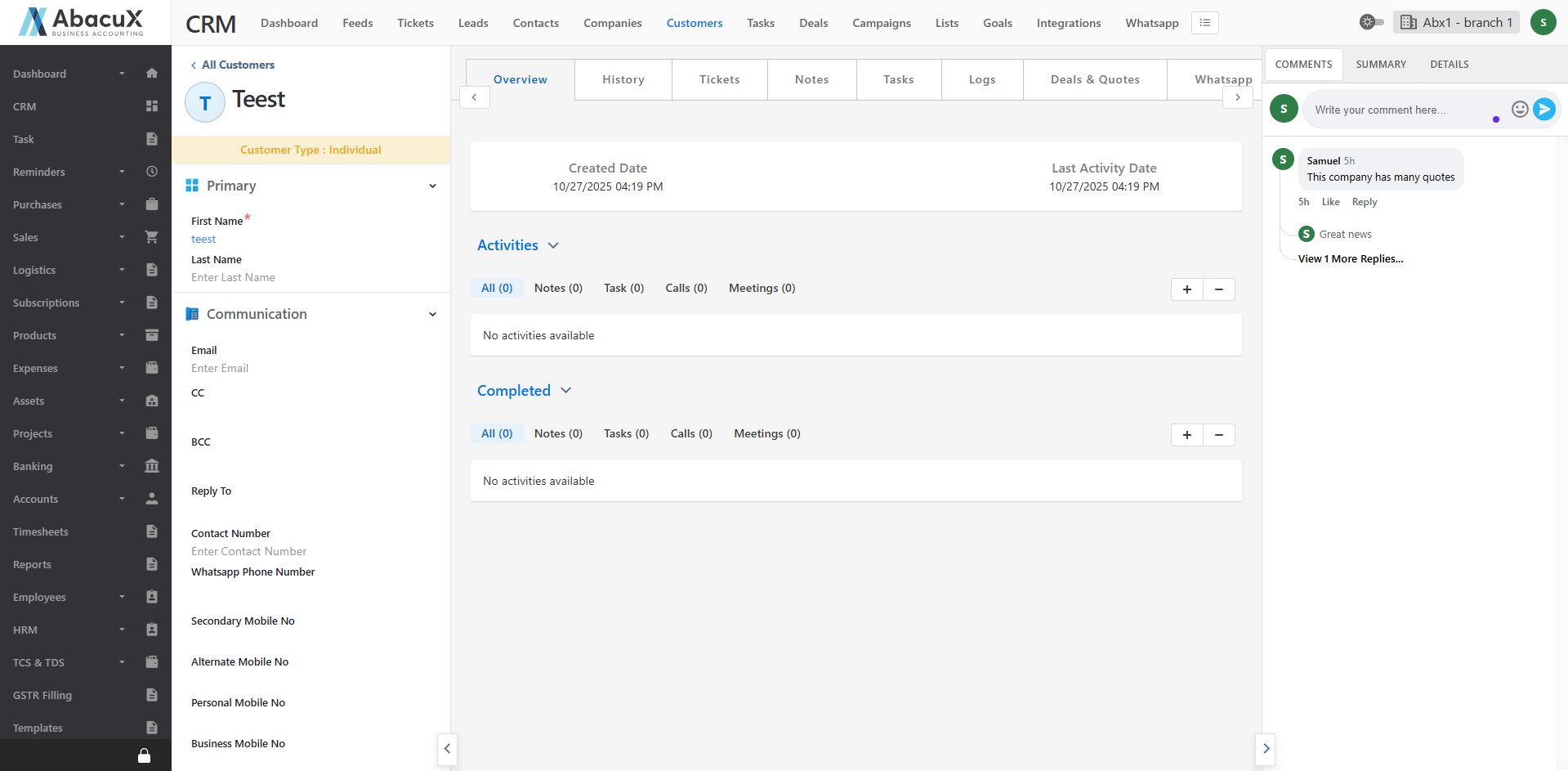
The profile page is divided into three main sections for easy navigation and management.
Left Panel
Displays complete customer details with an editable option to update information as needed.
Middle Panel
The middle panel includes several tabs for managing customer-related activities and records:
Overview: Displays both active and completed activities of the customer.
History: Shows a complete timeline of the customer’s interactions and updates.
Tickets: Allows management of tickets associated with the customer.
Notes: Enables users to create and manage notes related to the customer.
Tasks: Facilitates the creation and tracking of tasks related to the customer.
Logs: Stores and manages call and meeting logs related to the customer.
Deals & Quotes: Manages deals and quotes associated with the customer.
WhatsApp: Allows sending and managing WhatsApp messages directly to the customer.
Email: Enables sending emails to the customer’s registered email address.
Right Panel
The right panel provides quick access to communication and summary sections through the following tabs:
Comments: Used to post, view, and manage comments or replies related to the customer.
Summary: Provides a summarized view of the customer’s overall details and performance.
Details: Displays and manages Deals, Quotes, and Billing Information linked to the customer.