Goals
CRM Goals
The Goals module in the CRM allows users to set, track, and analyze business objectives for individuals or teams. It helps monitor performance against predefined targets such as sales, customer acquisition, or revenue growth, providing clear insights into overall progress.
Managing Goals
-
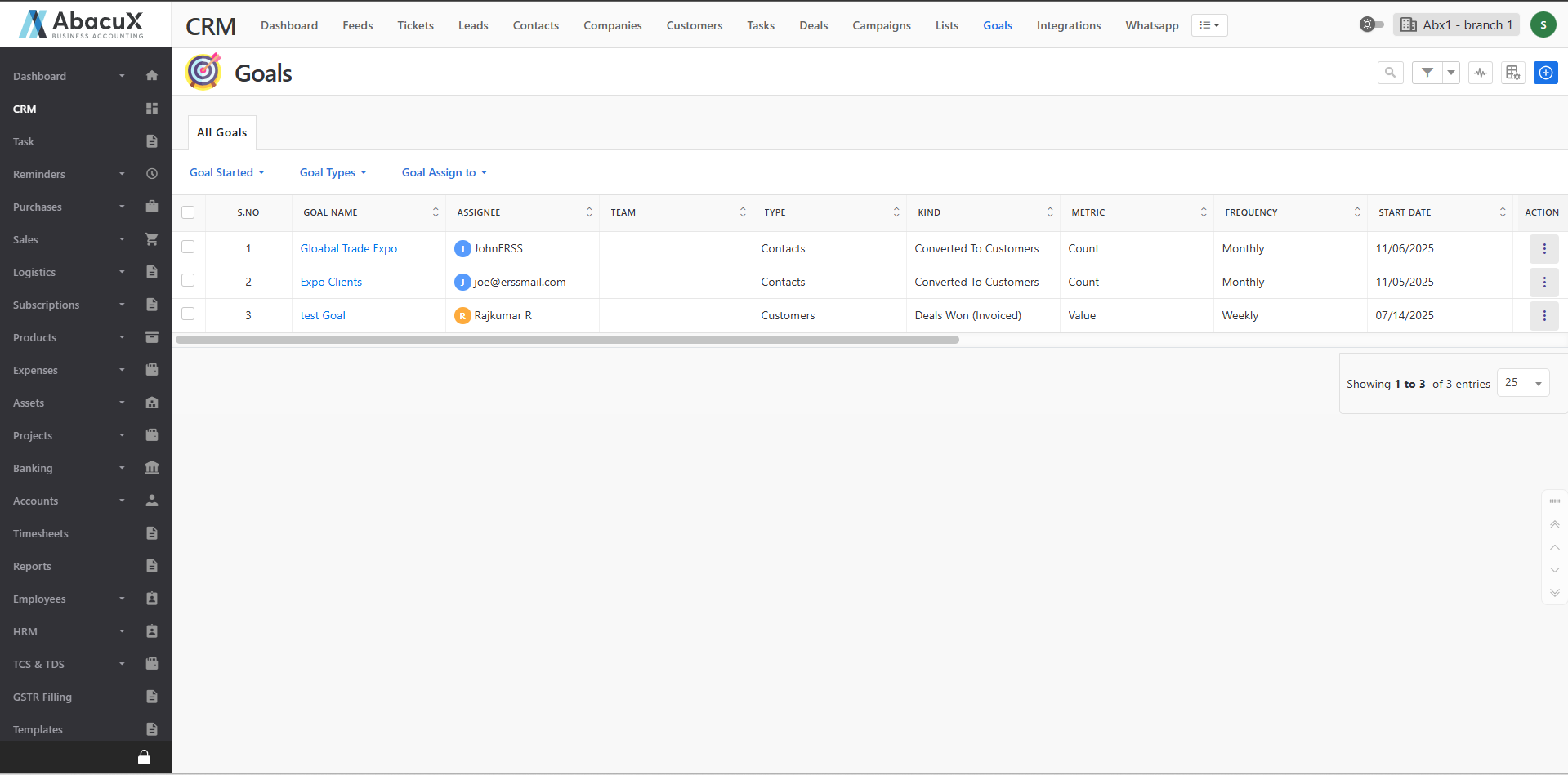
Click the Goals menu in the CRM to view the list of all existing goals.
-
The goals list is displayed with default filters such as Goal Type and Assigned To, allowing users to easily narrow down results.
-
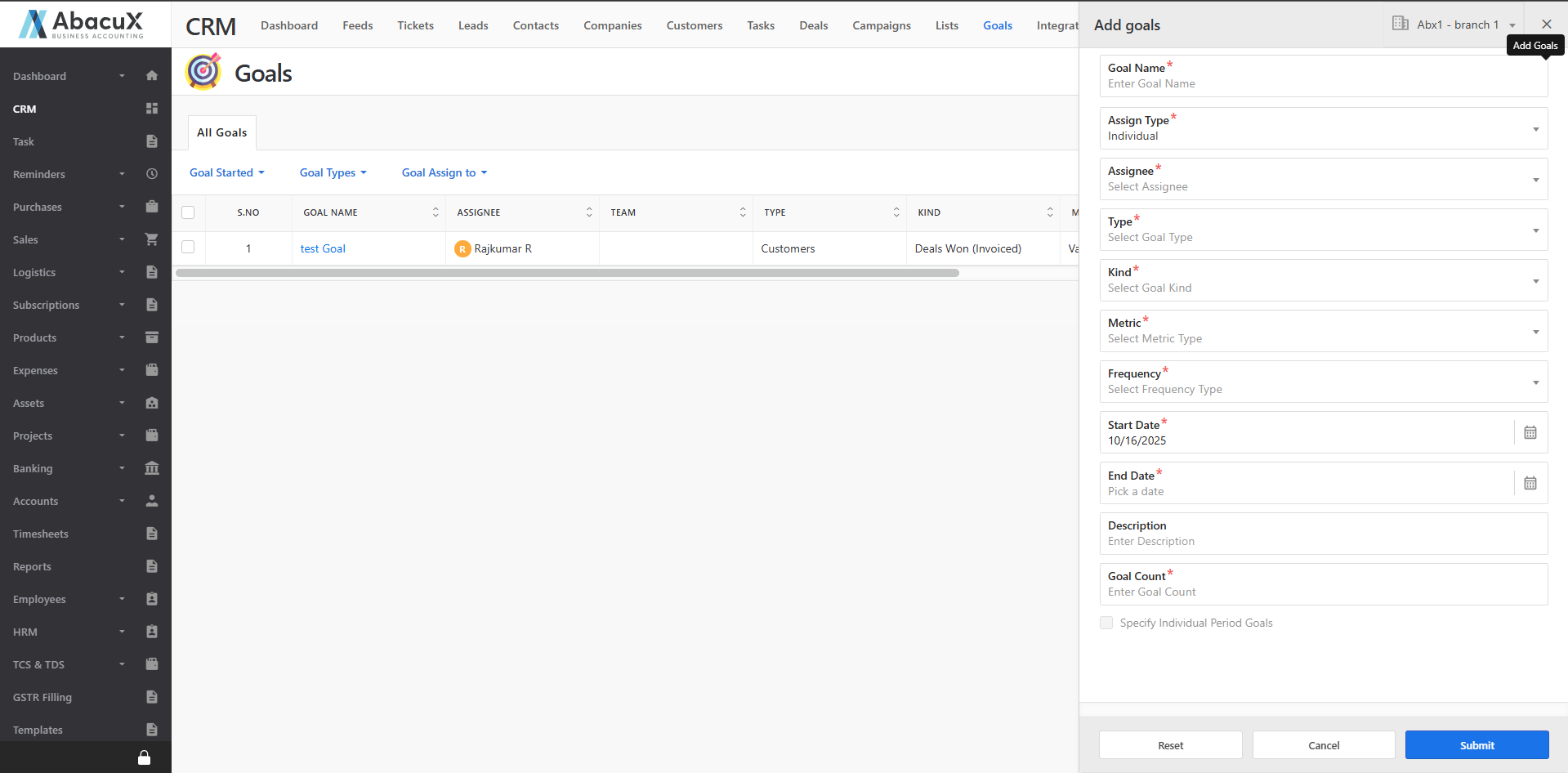
To create a new goal, click the “+” icon located at the top-right corner of the page.
-
A form will open where you can enter the goal information, including relevant details such as goal type, duration, target value, and assigned user.
-
Once the form is saved successfully, a success message will appear on the listing page.
-
If there is any issue while saving the form, an error message will be displayed.
Goal Profile
-
Click on a Goal Title from the list to open the Goal Profile page.
-
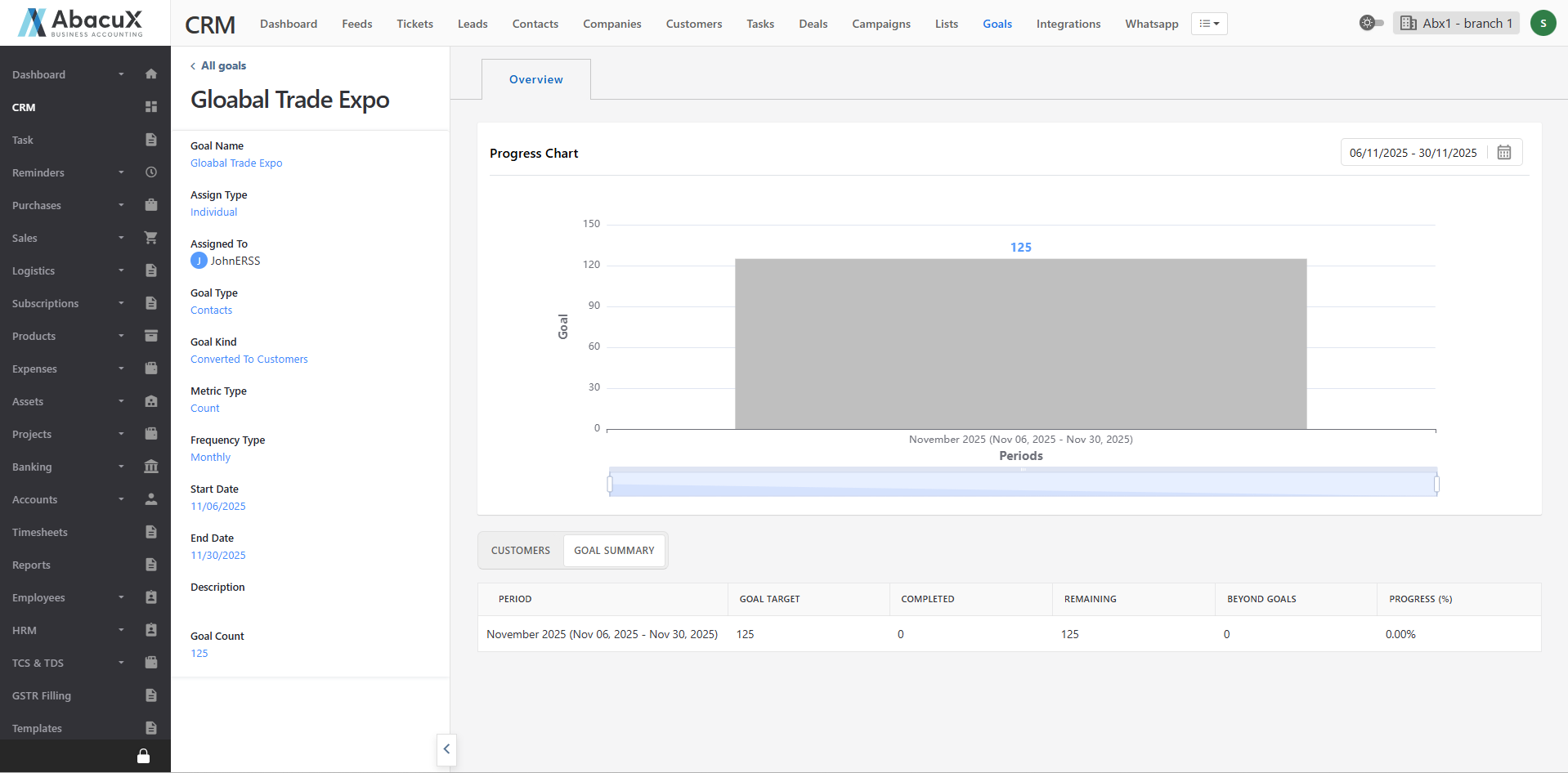
The Goal Profile page is divided into two main sections:
Left Panel:
Displays the goal details with editable options, allowing authorized users to update goal information.
Right Panel:
The top section provides a graphical overview of the goal’s progress and performance metrics.
The bottom section displays related customers and a detailed goal summary, including achieved versus target values.