Recurring Template Invoices
A Recurring Invoice Template is a predefined configuration used to automatically generate invoices at regular intervals (e.g., daily, weekly, monthly, yearly), eliminating the need to manually create individual invoices each time. This feature is especially useful for businesses with subscription-based billing or regular service charges.
Purpose
The primary purpose of the recurring invoice template is to streamline and automate the invoicing process for repeat transactions. It helps reduce manual work, ensures timely billing, and maintains consistency across recurring invoices.
Key Features
Template-Based: Acts as a master invoice containing all necessary information (customer details, items/services, prices, tax, payment terms, etc.).
Auto-Generation: Invoices are automatically created based on the defined frequency and duration.
Start and End Dates: Set the schedule for when the recurring invoices should begin and when they should stop.
Next Run Date: System-generated field that shows the next scheduled invoice creation date.
Invoice Preview: Option to view how the generated invoice would look before it's created.
Status Tracking: View whether a template is active, inactive, or expired.
No Manual Saving Required: Generated invoices are automatically saved in the system as regular invoices without requiring user intervention.
Manage Recurring Invoice Templates
This section allows users to create, view, and manage recurring invoice templates that are used to automatically generate invoices at defined intervals.
Steps to Access and Create Recurring Invoice Templates
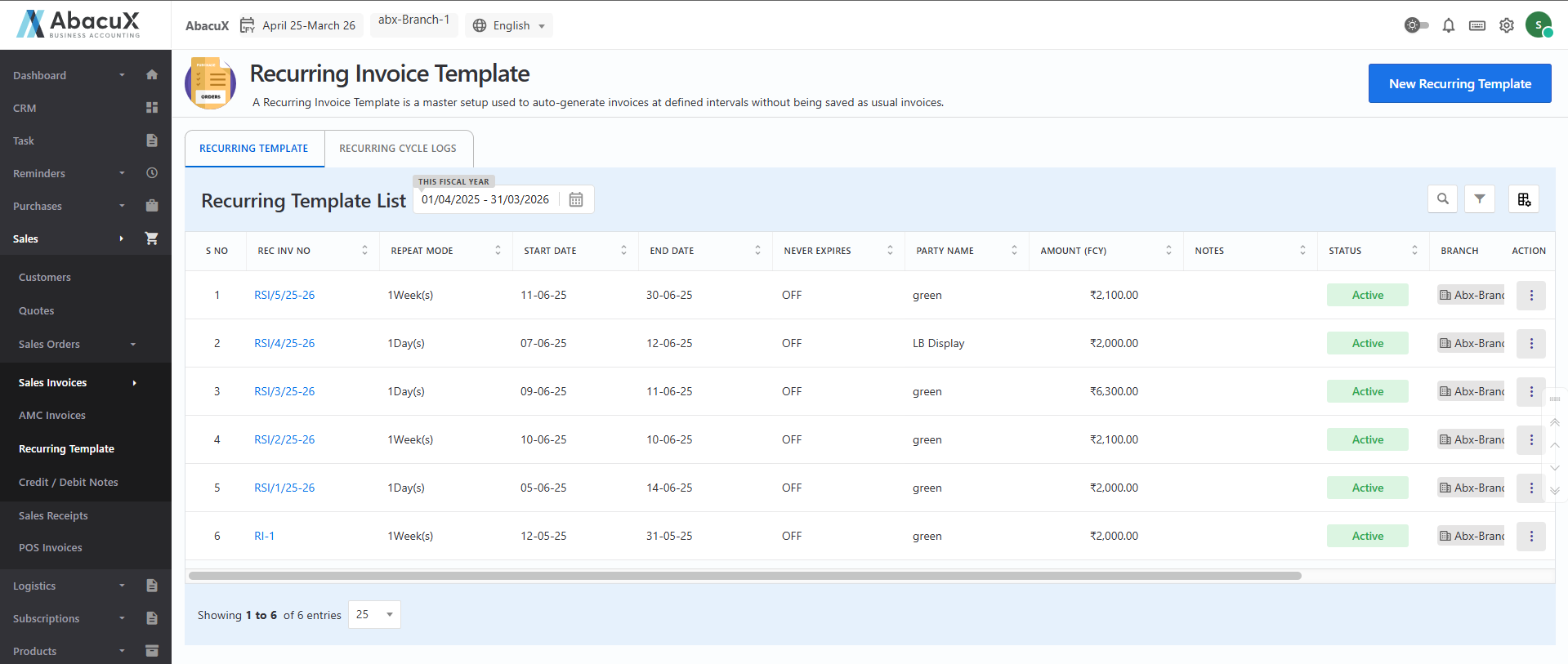
- Navigate to Sales > Sales Invoice > Recurring Template to access the list of existing recurring invoice templates.
-
To add a new recurring invoice template, click the "New Recurring Template" button located at the top-right corner of the page.
-
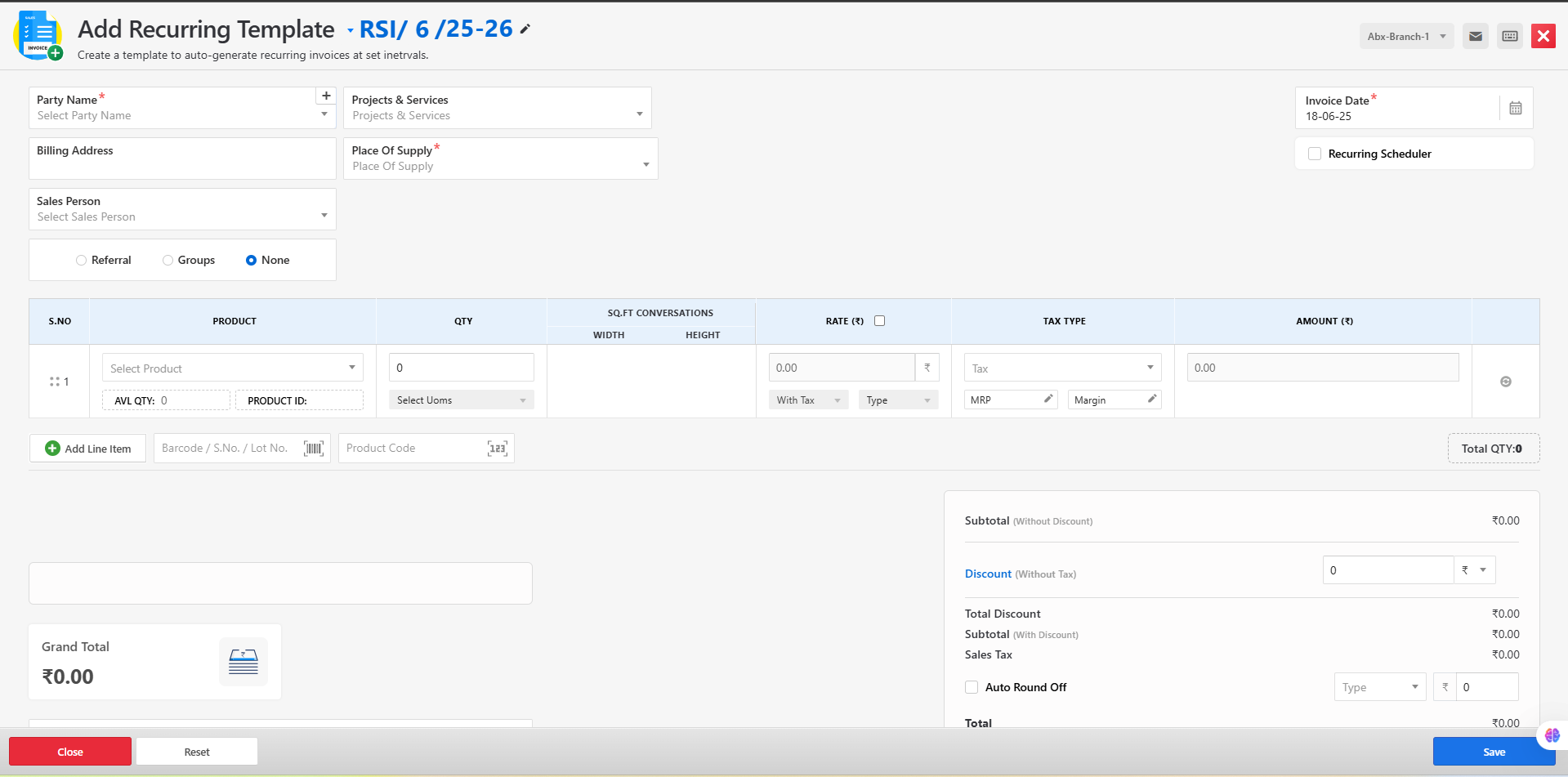
This will open the recurring template entry form containing all the required fields such as customer details, frequency, start and end dates, invoice items, and billing terms.
-
Fill in all the required fields and click Save to create the template.
-
Upon successful submission, a confirmation message will be displayed on the listing page.
-
If any errors occur during submission, the system will display an appropriate error message on the form to guide the user.
Available Actions for Managing Recurring Invoice Templates
From the recurring template list, users can perform the following actions:
Edit – Modify the existing template details.
Set Inactive – Temporarily deactivate the template to prevent automatic invoice generation.
Delete – Permanently remove the template from the system.
View – View the complete details of the recurring template in a read-only format.
This module ensures efficient handling of periodic invoicing requirements by automating repetitive billing tasks and enhancing accuracy in recurring transactions.
Managing Recurring Cycle Logs
The Recurring Cycle Logs section provides a detailed history of each automated cycle generated through recurring invoice templates. This log allows users to track and manage each recurrence event and take necessary actions such as invoice creation.
Steps to Access and Manage Recurring Cycle Logs
- Navigate to Sales > Sales Invoice > Recurring Cycle Logs to view the list of recurring cycle log entries.
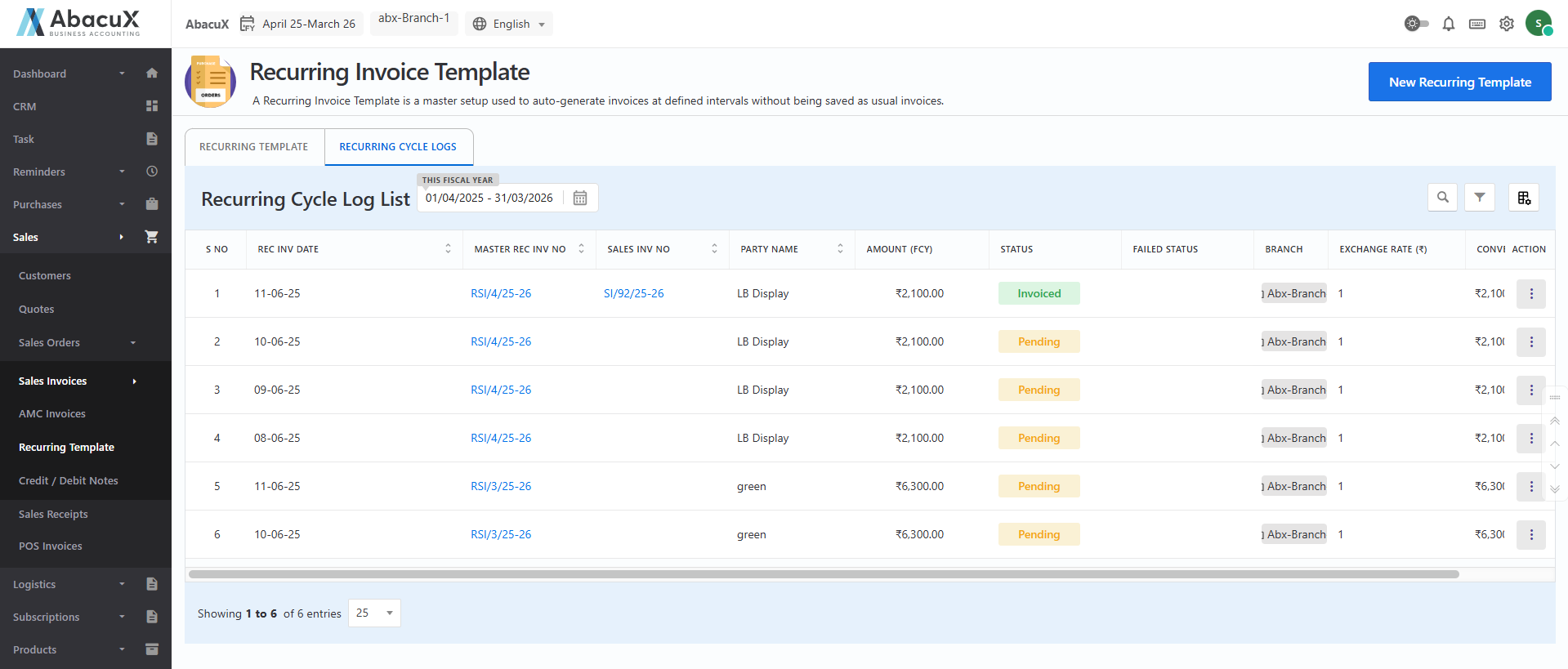
- The list displays all recurring cycles generated from active recurring invoice templates.
Available Actions for Each Cycle Log Entry
From the recurring cycle logs list, users can perform the following actions:
View – View detailed information about a specific recurring cycle, including the scheduled interval and associated template.
Delete – Remove an individual cycle log entry if it is no longer needed.
Create Invoice – Manually trigger the generation of an invoice for the selected recurring cycle.
View & Create Invoice – Review the details of the cycle and proceed to generate an invoice based on the provided information.
This module ensures complete visibility and control over the recurring invoice generation process, allowing users to validate or modify cycles before finalizing them into invoices.
Typical Use Cases
-
Monthly subscription services
-
Annual maintenance contracts
-
Weekly consultancy fees
-
Quarterly support services
-
Fixed periodic product deliveries
Benefits
-
Saves time and effort for finance and admin teams.
-
Reduces the risk of missing scheduled invoices.
-
Improves cash flow with timely billing.
-
Enhances accuracy and consistency in repeated invoicing.
Edit Set Inactive Delete View
Recurring Cycle Logs
View Delete Create Invoice View & Create Invoice