Purchase Receives
Purchase Receives are documents used to record Products against POs, whether delivered or yet to be delivered by the vendor to our warehouses.
Managing Purchase Receives
- To manage Purchase Receives, click the Purchase Receives menu under the Purchase Orders section in the Purchases main menu.
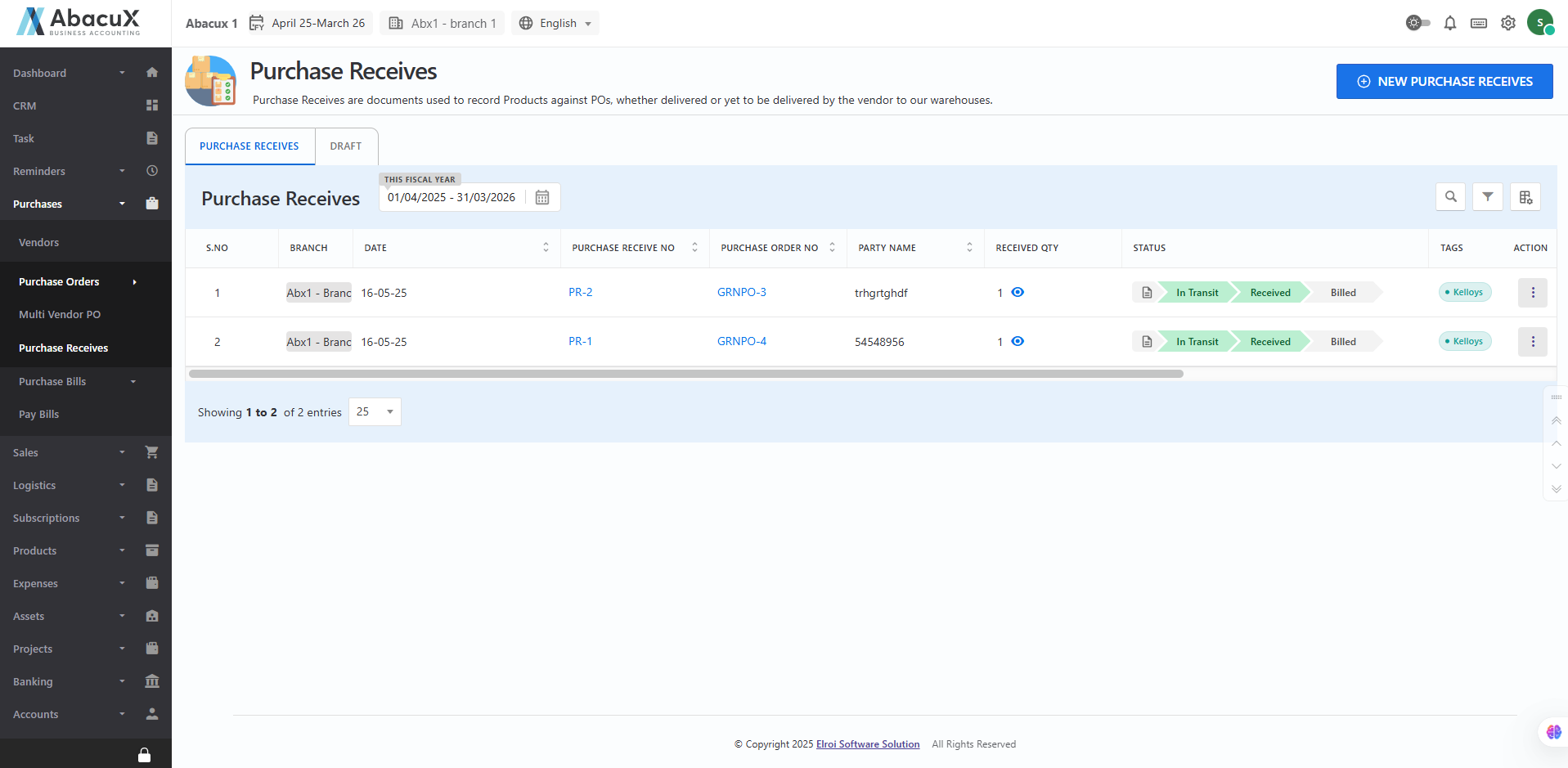
- To add a new Purchase Receive, click the New Purchase Receive button located at the top-right corner.
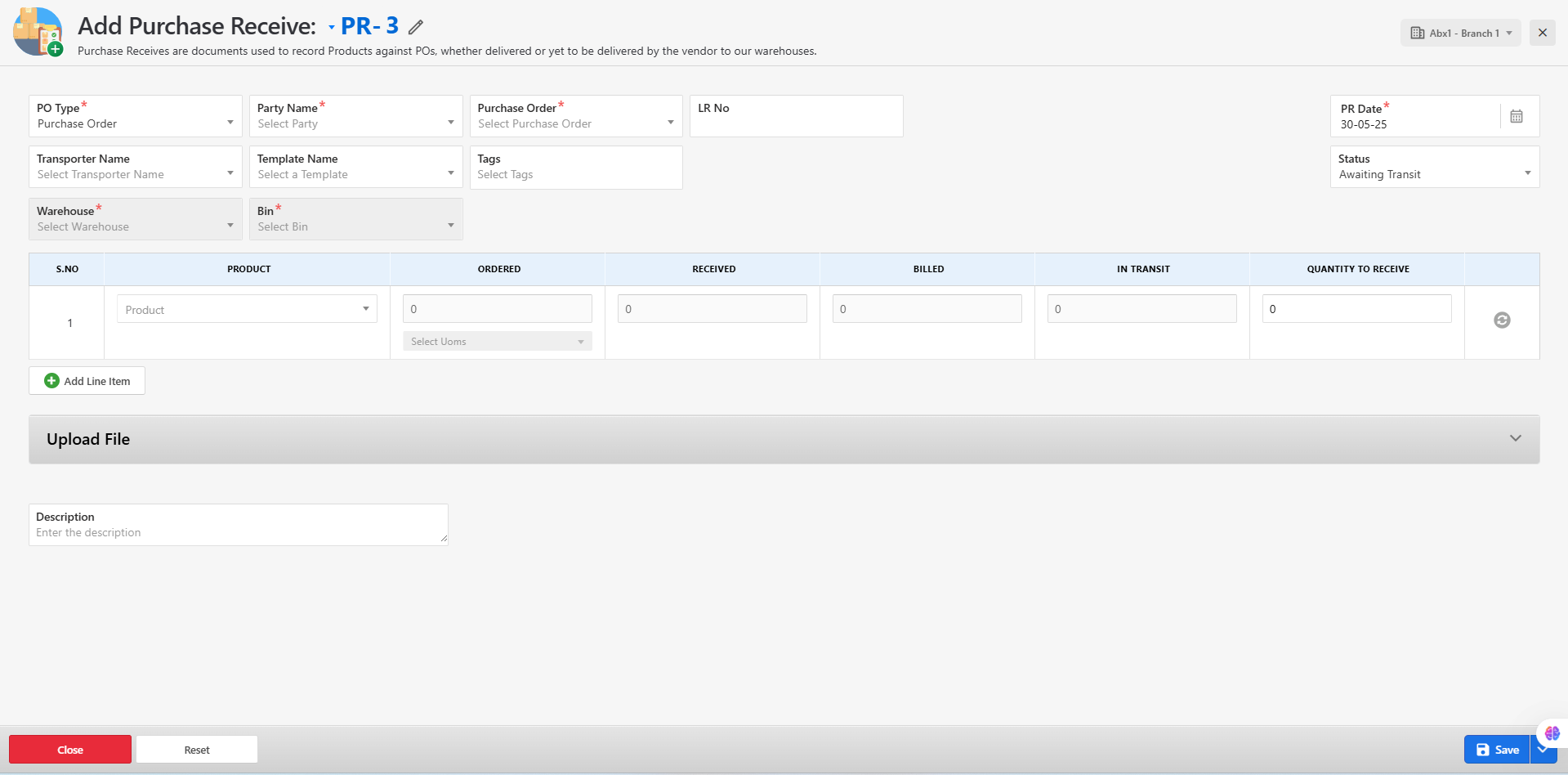
-
This will open a form where you can enter the necessary details.
-
Fill in all the required fields and choose to either Save the form or Save as Draft.
-
If the form is saved successfully, a success message will appear on the list screen.
-
If there is an error during submission, an error message will be displayed on the form itself.
-
You can manage existing Purchase Receives using the following actions:
-
Edit
-
View
-
Delete
-
Print
-
Download
-
Create Purchase Bill
-
Managing Drafted Purchase Receives
- To view and manage drafted Purchase Receives, navigate to the "Draft" tab.
-
From this list, you can edit, view, or delete any drafted Purchase Receive record.
-
You may update and save a draft or delete it directly from the list view.
-
To create a new Purchase Receive, click the "New Purchase Receive" button located at the top-right corner of the screen.