Multi vendor PO
MPO allows the creation of Purchase Orders for Multiple Vendors in a single view.
Managing Multi-Vendor Purchase Orders
- Click Multi-Vendor PO under the Purchase Orders menu in the Purchase main menu to view the list.
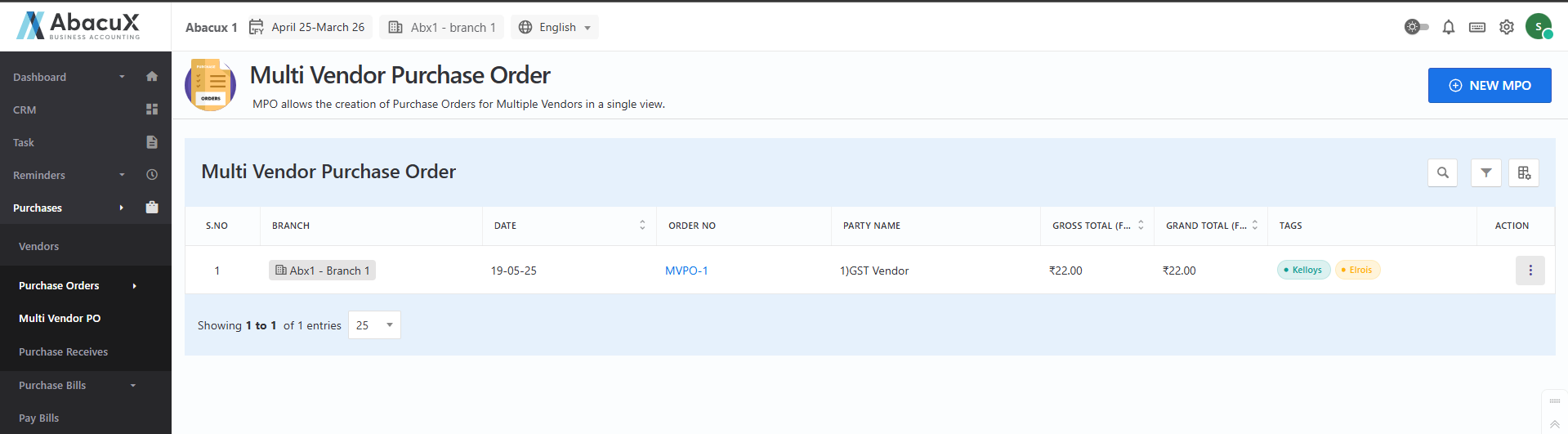
- To create a new Multi-Vendor Purchase Order, click the New MPO button located at the top-right corner to open the form.
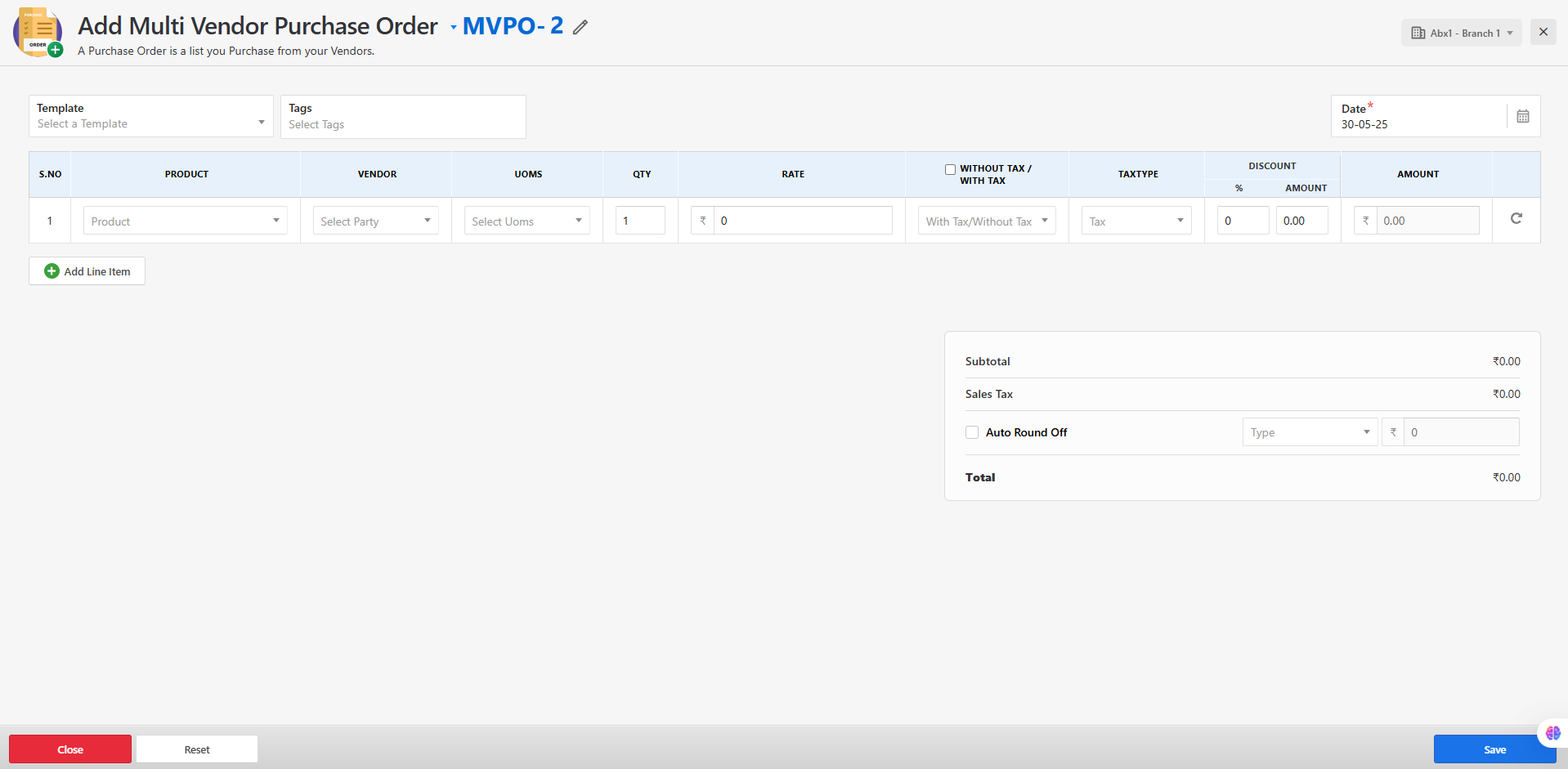
-
Fill in all the required fields in the form, then save the purchase order.
-
If the form is saved successfully, a success message will be displayed on the list screen.
-
If there is an error during submission, an error message will be shown on the screen.
-
You can manage Multi-Vendor Purchase Orders from the list using the following actions:
-
Edit
-
Delete
-
View
-
Print
-
Create RFQ
-