Products
Products
The Products module is a central component of the ERP application that manages all goods and services offered by the organization. It allows users to define, categorize, and maintain product information that can be used across various transactions such as purchases, sales, inventory management, and invoicing.
Purpose
This module enables businesses to:
-
Maintain a master list of all physical goods and services.
-
Ensure consistency in product details across modules (Sales, Purchase, Inventory, etc.).
-
Support inventory tracking, pricing strategies, taxation, and barcode generation.
-
Enable seamless integration with POS, invoicing, manufacturing, and stock management workflows.
Key Features
Product Types
Supports multiple product types including:
-
Inventory Products
-
Non-Inventory Products
-
Services
-
Raw Materials
-
Composite Products
Detailed Product Information
Each product record includes fields such as:
-
Product Name
-
SKU / Product Code
-
Unit of Measurement
-
Brand / Category / Sub-category
-
Description
-
Tax Rates (GST, VAT, etc.)
-
Purchase Price & Selling Price
-
Minimum and Maximum Stock Levels
-
Barcode (Auto-generated or manually entered)
-
Serial Number Tracking (if applicable)
-
HSN / SAC Code
-
Image and Specification Upload
Stock Management
- Tracks real-time stock levels across locations and warehouses. Supports opening stock entry and warehouse-specific stock allocation.
Multi-Location Support
- Allows configuration of stock availability, reorder levels, and pricing per location or branch.
Custom Pricing & Discounting
- Configure multiple price levels (MRP, Dealer Price, Customer-Specific Price), discount schemes, and promotional offers.
Barcode Integration
- Generate and print barcodes for each product, enabling fast and accurate POS billing and inventory handling.
Tax and Compliance Settings
- Assign applicable tax rates and link HSN/SAC codes for compliance with regional tax regulations (e.g., GST in India).
Benefits
-
Provides a single source of truth for all products/services offered by the organization.
-
Improves operational efficiency across purchasing, sales, and inventory.
-
Reduces manual entry and ensures consistency and accuracy in transactions.
-
Enables better forecasting, pricing analysis, and decision-making through product insights.
All Products
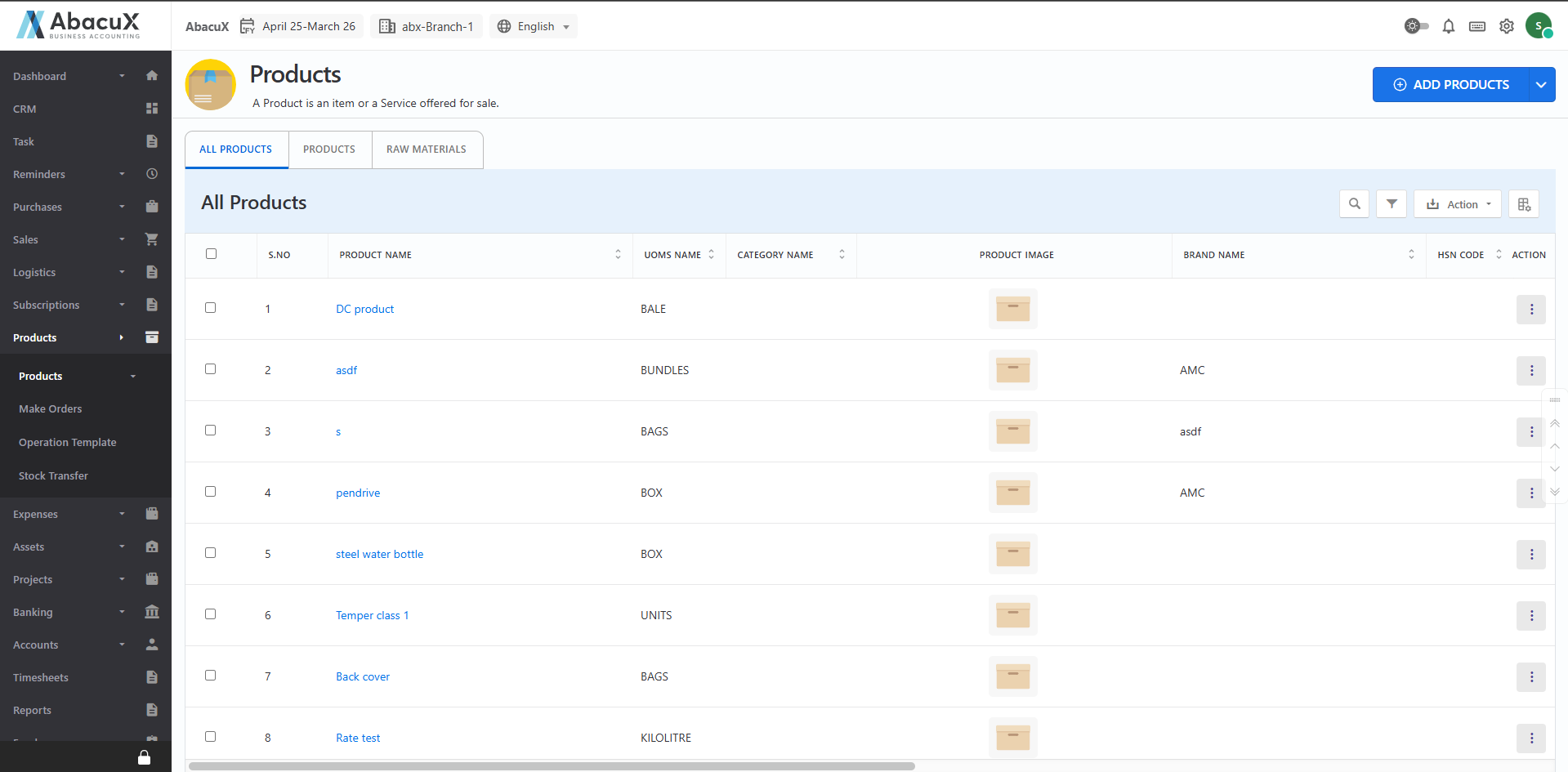
The All Products section provides a comprehensive view of all items and raw materials available in the system. It allows users to create, manage, and organize product details, including main products and sub-products. This module is essential for maintaining accurate product data across the organization.
Steps to Access and Manage Products
- Navigate to the "Products" menu to view the complete list of products, including inventory items and raw materials.
-
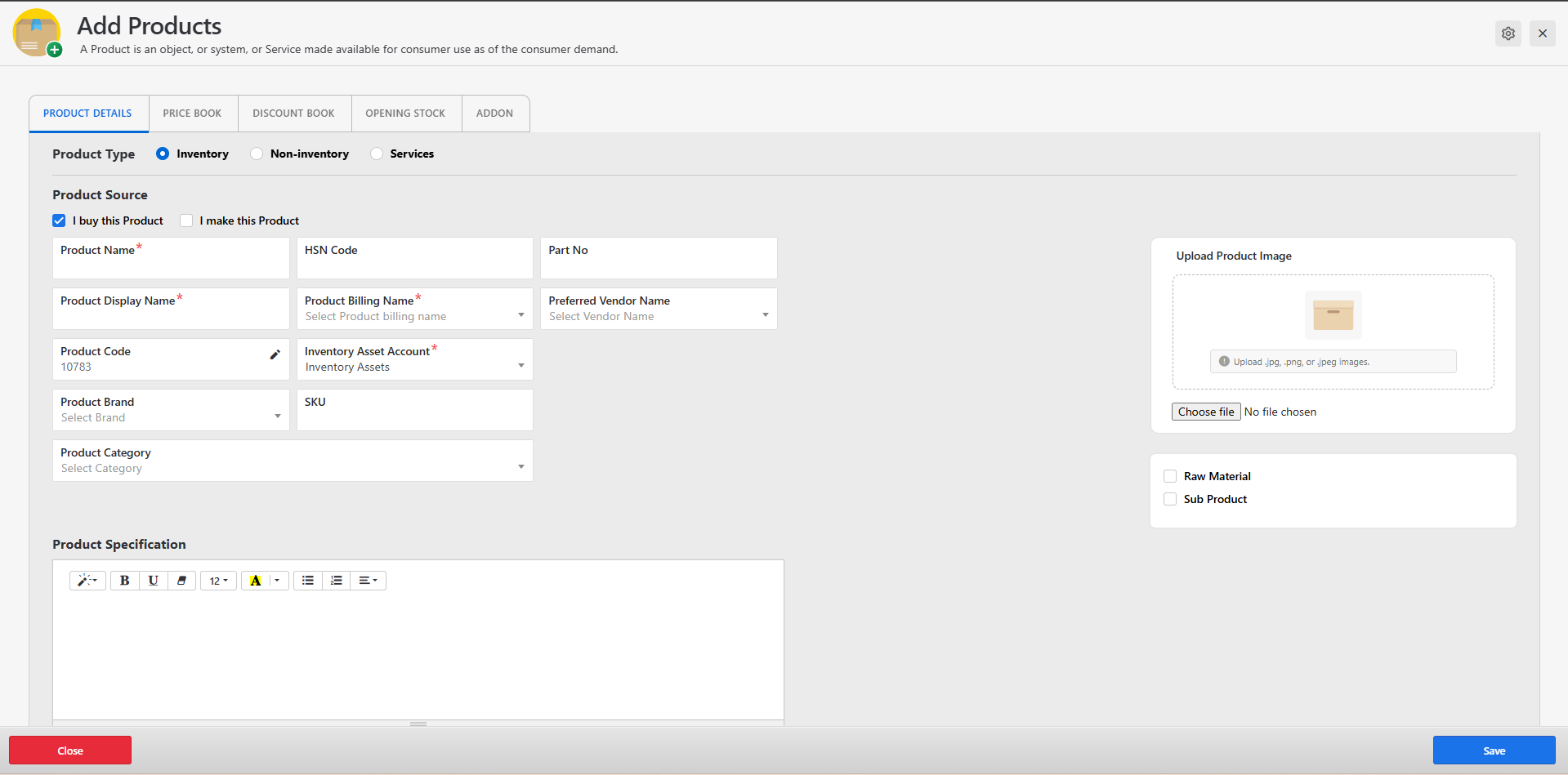
To add a new product, click the "Add Product" button located at the top right corner of the page.
-
A form will open, prompting you to enter the required product details such as:
-
Product Name
-
SKU / Code
-
Category and Brand
-
Unit of Measurement
-
Tax Information
-
Pricing
-
Product Image (optional but recommended)
-
After completing the form, click "Save" to create the product.
-
Upon successful submission, a success message will be displayed, and the new product will appear in the list.
-
If there are any errors during submission, they will be displayed directly on the form for correction.
Creating a Sub-Product
-
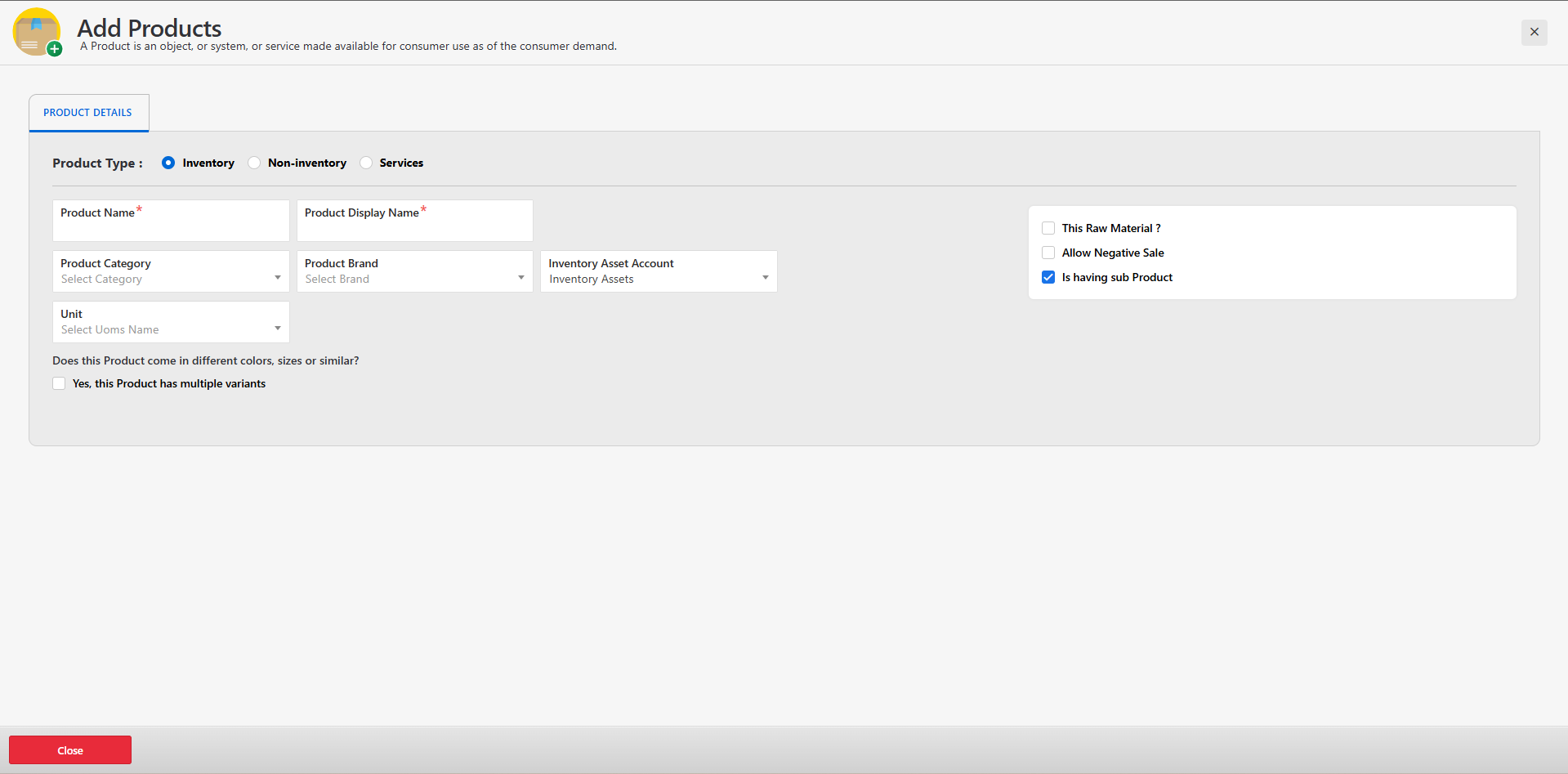
If you need to create a Sub-Product (a variant or component of a main product):
-
Click the dropdown arrow next to the "Add Product" button.
-
Select "Sub Product" from the dropdown options.
-
A separate form will appear to enter the Sub-Product details.
-
Select the main product to which the sub-product belongs, then enter the sub-product-specific details.
-
Click "Save" to add the sub-product.
-
Upon successful submission, a success message will confirm that the sub-product has been created.
-
If there are any validation or submission errors, they will be shown on the form.
Available Actions for Each Product
You can manage existing products using the following actions from the product list:
Edit – Modify product details.
View – View full product information.
Duplicate – Create a copy of the product with similar data.
Delete – Remove the product from the system.
Benefits
-
Centralized control of all product data.
-
Organized structure with support for parent-child (main and sub-product) relationships.
-
Ensures data consistency across sales, purchase, and inventory modules.
Products
The Products tab displays the complete list of all products registered in the system. This includes inventory items, non-inventory items, raw materials, and services as applicable. It serves as the central hub for managing product-related data across various modules such as Sales, Purchase, and Inventory.
Steps to Access and Manage Products
- Click the "Products" tab to view the complete list of products.
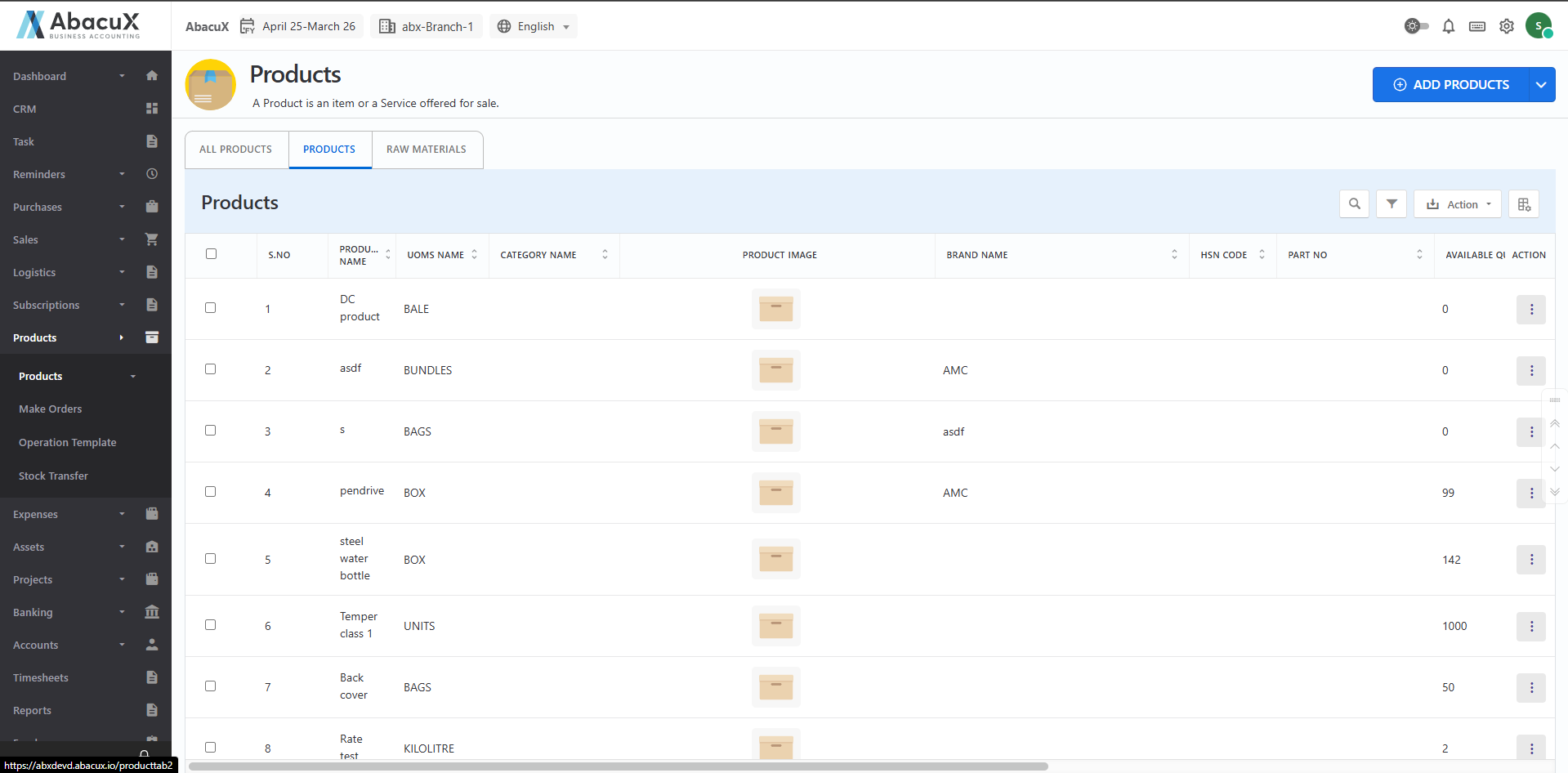
- From the product list, you can manage each product using the following actions:
Edit – Update existing product information.
View – View detailed information of the selected product.
Duplicate – Create a copy of the product with the same data for quick entry.
Delete – Remove the product from the system (if not linked to active transactions).
Benefits
-
Simplifies product management across departments.
-
Ensures accurate and up-to-date product information.
-
Reduces manual data entry by supporting duplication of existing records.
Raw Materials
The Raw Materials tab provides a dedicated list of all raw material items used in production, manufacturing, or assembly processes. These items are essential components that are typically not sold directly but are consumed as part of finished goods.
Steps to Access and Manage Raw Materials
- Click on the "Raw Materials" tab to view the complete list of raw material items.
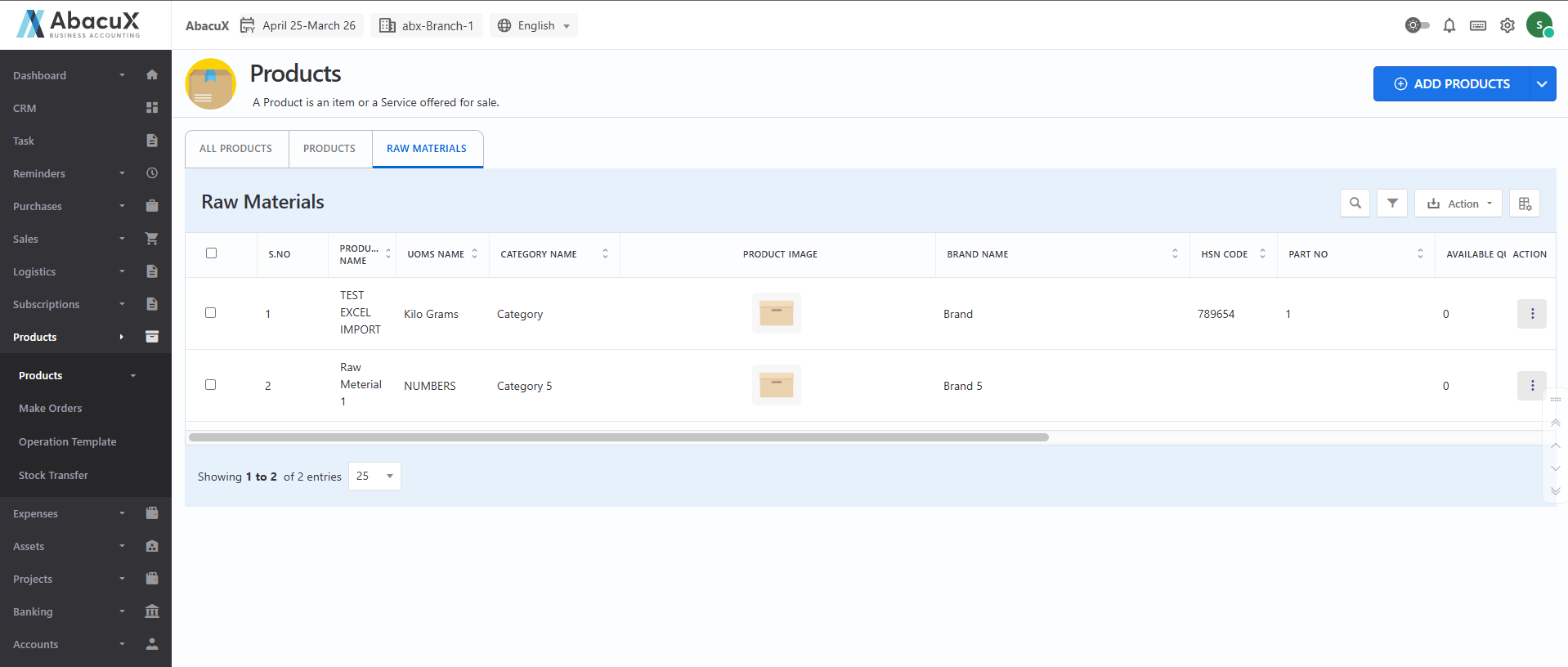
- You can manage each raw material using the following available actions:
Edit – Modify existing raw material details.
View – Display full information related to the selected raw material.
Duplicate – Quickly create a copy of the raw material item for easier data entry.
Delete – Remove the raw material from the system, if not associated with active transactions.
Benefits
-
Facilitates organized tracking and management of raw materials.
-
Ensures accurate data for production and inventory planning.
-
Improves operational efficiency through easy duplication and editing features.