Make Orders
Manufacturing Orders
Manufacturing Orders are formal instructions issued to authorize and manage the in-house production of finished goods. These orders specify the product to be manufactured, the quantity required, the raw materials or components to be consumed, and the process or bill of materials (BOM) to follow. The Manufacturing Orders module in the ERP system helps streamline production workflows, track inventory consumption, and ensure timely completion of manufacturing tasks.
Purpose
-
The primary purposes of the Manufacturing Orders module are to:
-
Initiate and manage internal production processes.
-
Track material consumption and inventory changes.
-
Maintain control over production costs, output quantity, and timelines.
-
Integrate with inventory, procurement, and accounting modules for end-to-end traceability.
Key Features
Product & Quantity Selection
- Specify the product to be manufactured and the required output quantity.
Bill of Materials (BOM)
- Automatically pulls the BOM for the selected product, detailing raw materials and quantities needed.
Inventory Adjustment
- Updates raw material consumption and finished goods availability in real-time.
Production Tracking
- Record actual start and end dates, labor, wastage, and production status.
Serial & Batch Control
- If enabled, serial or batch numbers can be generated for the manufactured items.
Multiple Warehouses Support
- Allocate raw material consumption and finished product stock to specific warehouses or locations.
Make Orders (Manufacturing Orders)
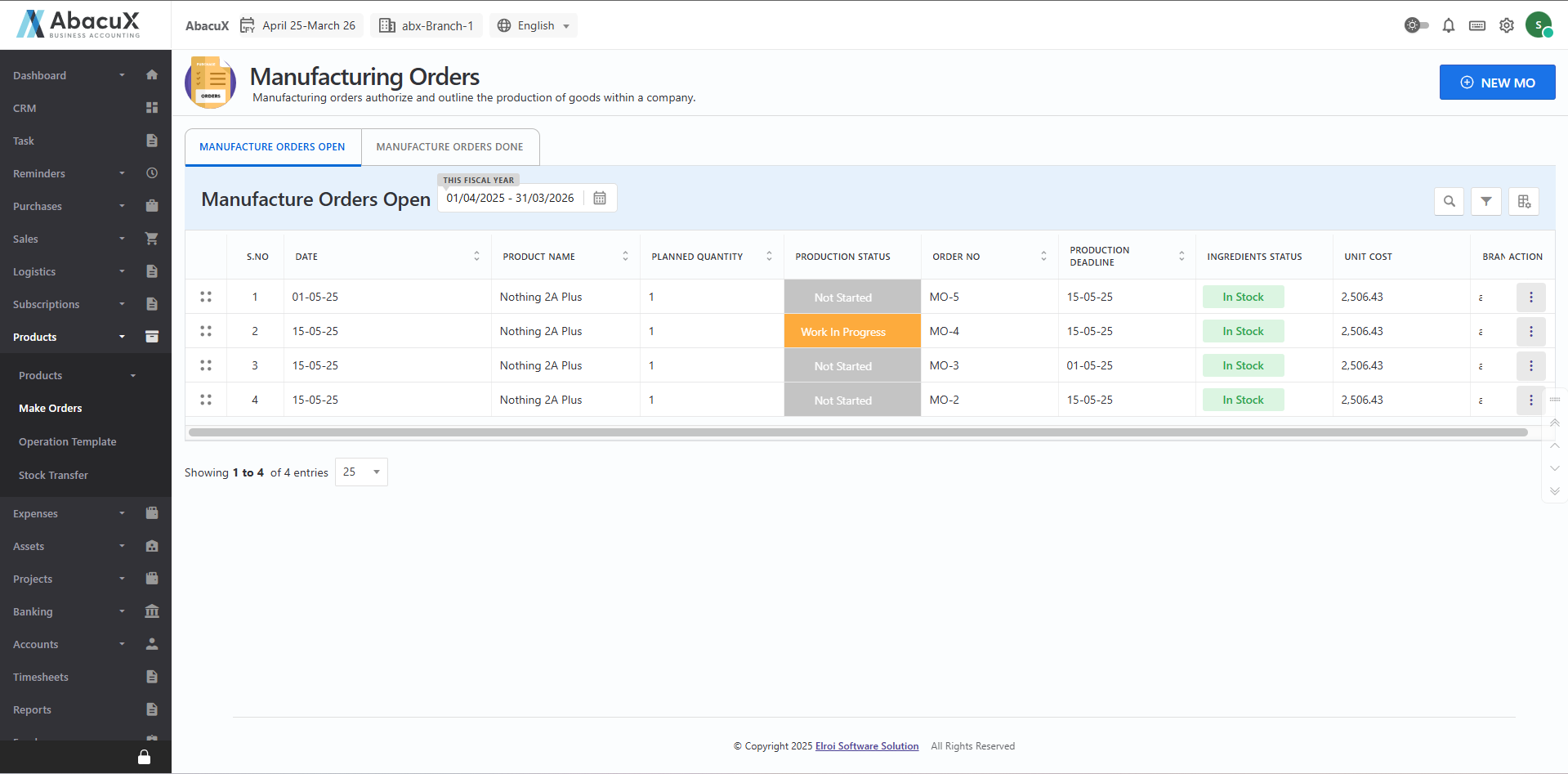
- Navigate to the Make Orders menu under the Products section to view the list of manufacturing orders.
-
To create a new manufacturing order, click the "New MO" button located at the top right corner.
-
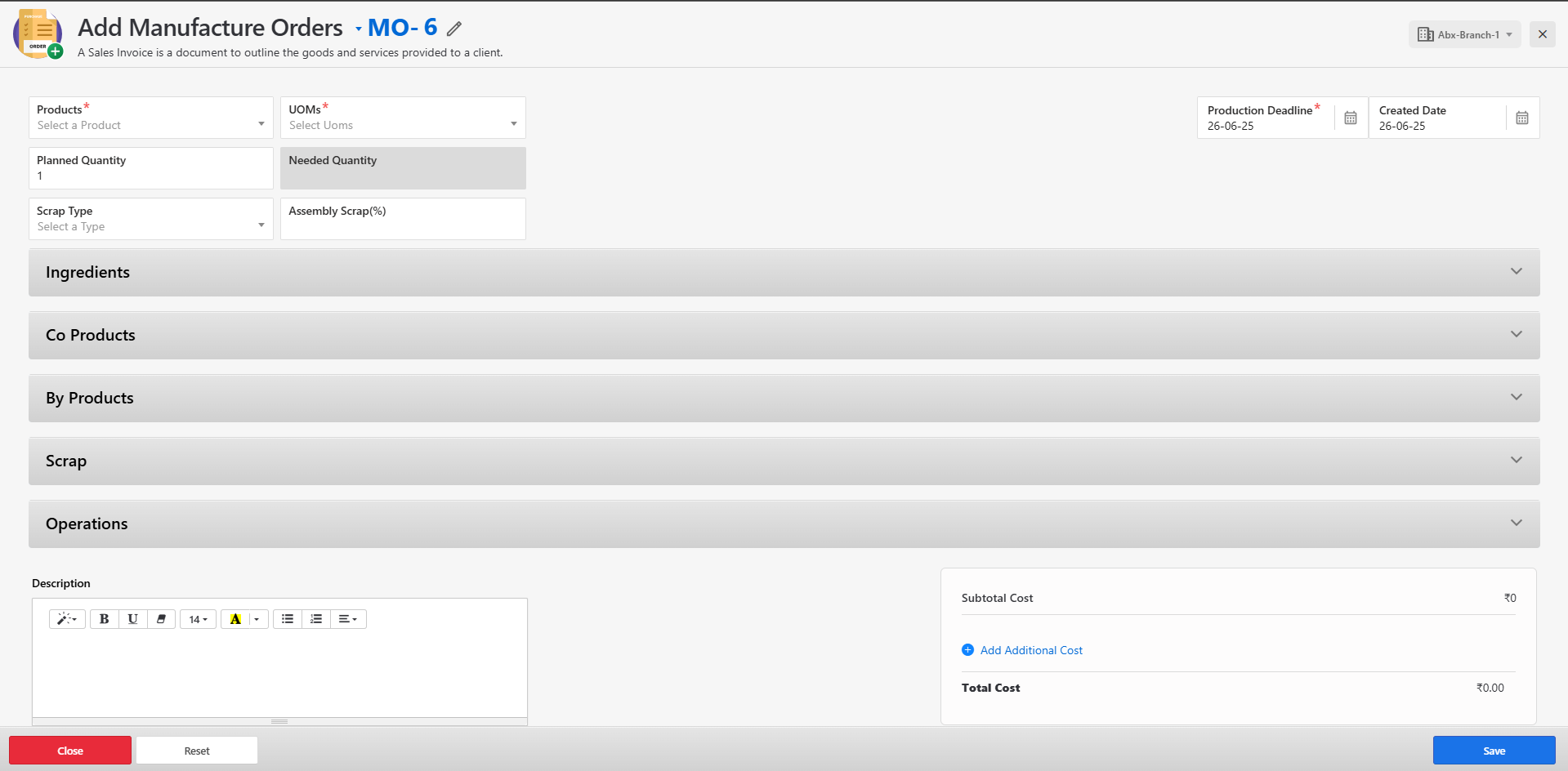
This will open a form where you can enter the necessary details for the manufacturing order.
-
Fill in all the required fields and click Save to create the order.
-
The form includes sections for:
-
Ingredients
-
Co-Products
-
By-Products
-
Scrap
-
Operations
-
-
Upon successful submission, a success message will be displayed on the listing page.
-
If there is an error while saving the form, the corresponding error message will be shown on the form itself.
-
You can manage the manufacturing orders list using the following actions:
-
Edit
-
Delete
-
Manufacturing Order – Completed
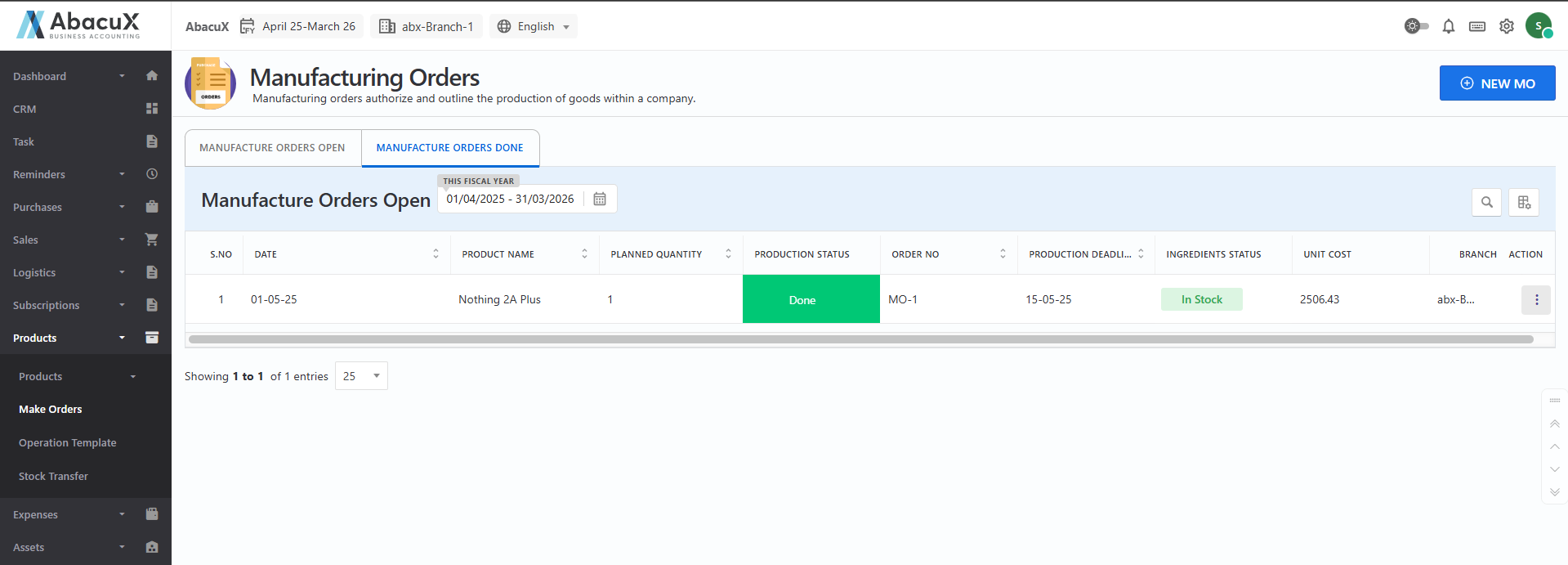
- Click on the "Manufacture Order Done" tab to view the list of completed manufacturing orders.
-
You can manage the completed orders using the following actions:
-
Edit
-
Delete
-
Benefits
-
Automates and standardizes the production process.
-
Provides real-time visibility into inventory movements.
-
Reduces material wastage and production delays.
-
Integrates manufacturing with inventory and finance for accurate costing.