Manual Journal
Manual Journal
The Manual Journal module allows users to record financial transactions manually by entering both debit and credit entries. This is particularly useful for adjustments, corrections, or transactions that are not automatically captured by system modules (e.g., depreciation entries, inter-company adjustments, opening balances, etc.).
Key Features
-
Create manual journal entries with multiple debit and credit lines.
-
Assign journals to appropriate ledger accounts.
-
Set transaction dates, references, and descriptions for traceability.
-
Maintain balanced journal entries (total debits must equal total credits).
-
Review and edit existing manual entries as needed.
Manage Manual Journals
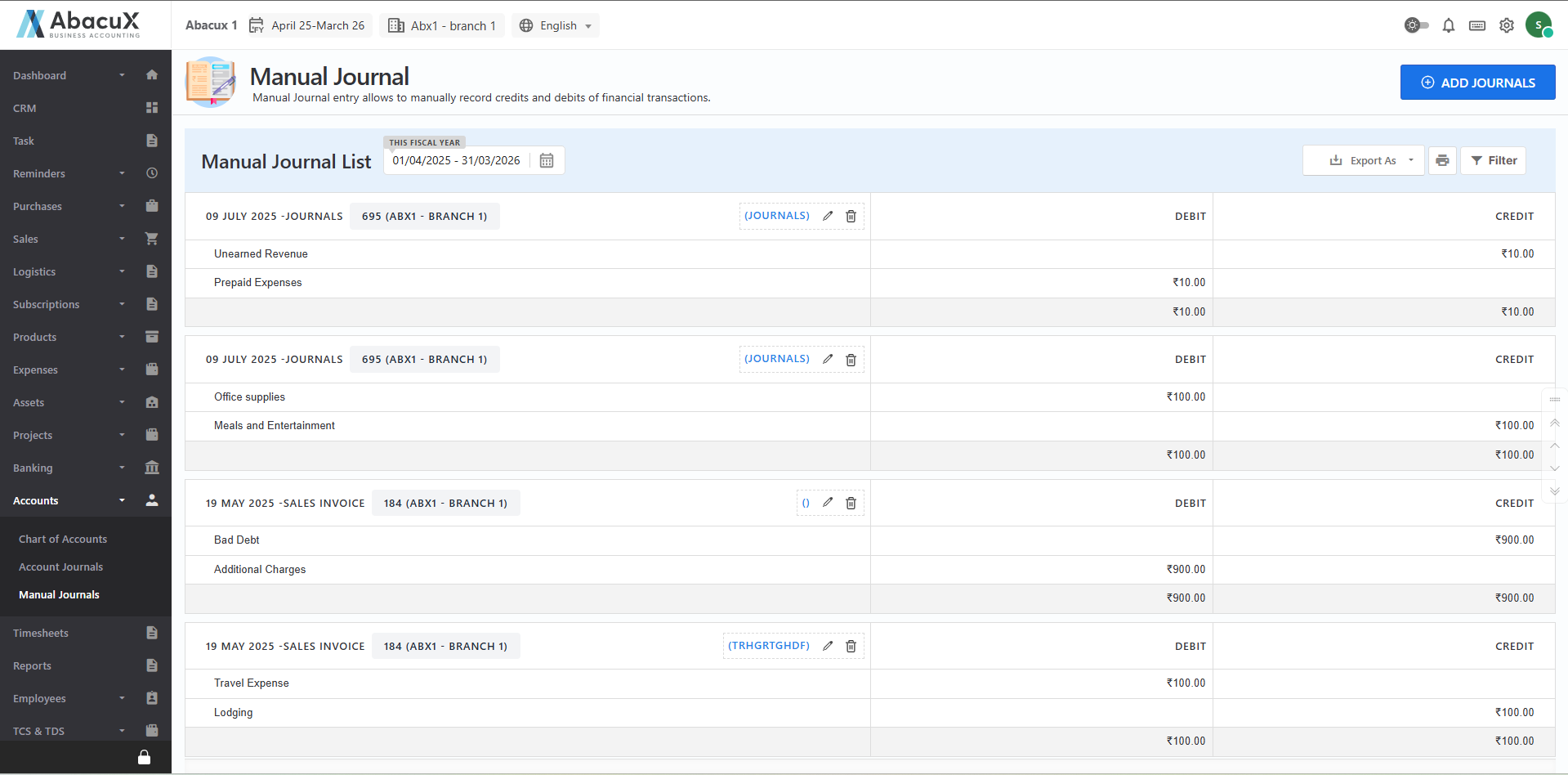
- Navigate to the Manual Journal section under the Accounts menu to view all existing manual journal entries.
-
Click the "Add Journal" button located at the top right corner to open the journal entry form.
-
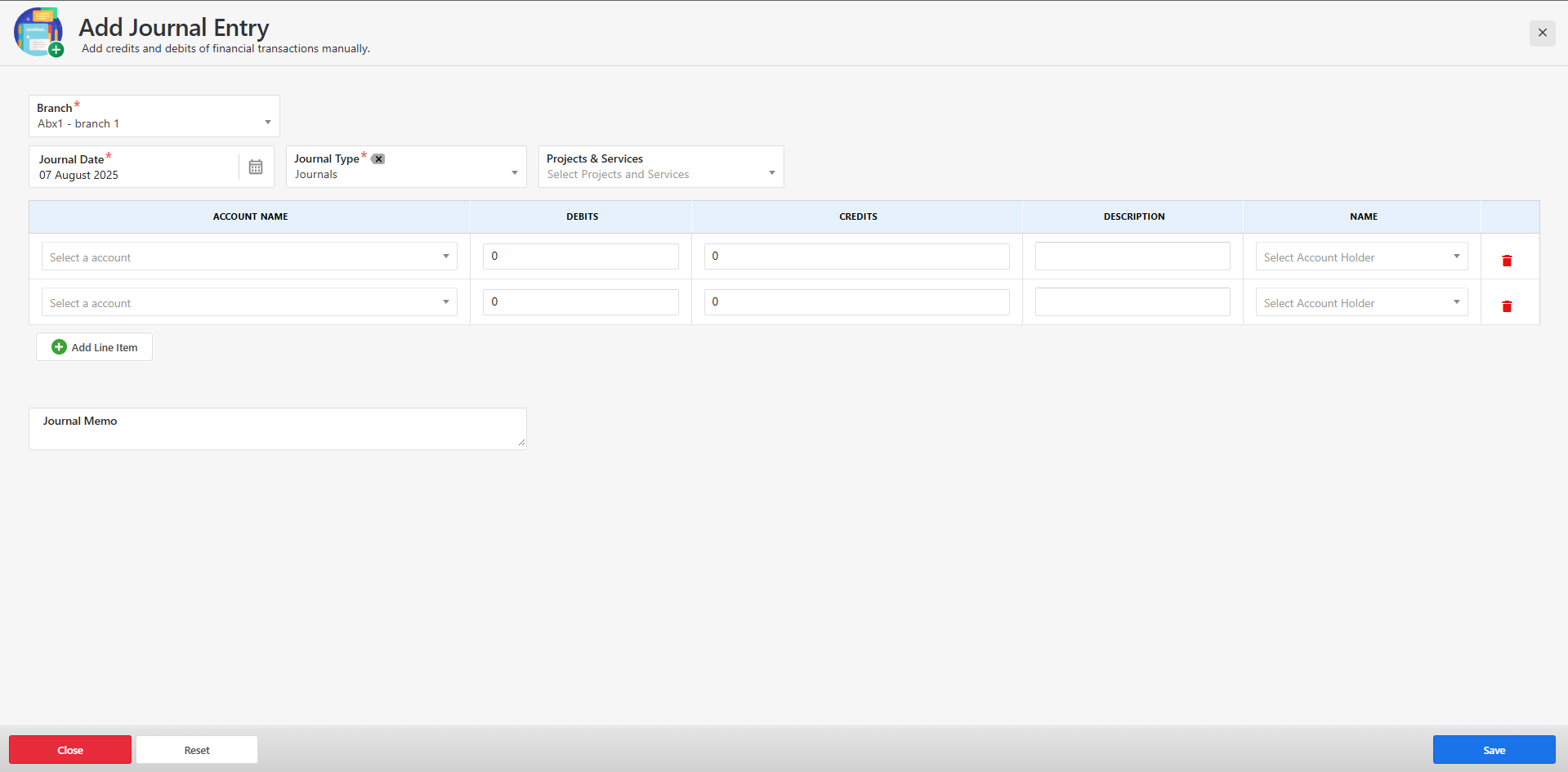
Enter the required details in the form, including:
-
Journal date
-
Reference number (if applicable)
-
Description or remarks
-
One or more debit and credit lines with the respective ledger accounts and amounts
-
-
Ensure that the total debit and credit amounts are equal before submitting.
-
Click Save to post the journal entry.
-
Upon successful submission, a confirmation message will appear, and the new entry will be listed in the journal list view.
-
If there's an error (e.g., imbalance in debit/credit or missing fields), an appropriate error message will be displayed on the form.
-
You can manage the journal list with the following actions:
-
Edit existing entries (if permitted by role/permissions)
-
Delete incorrect or unapproved entries (if applicable)
-