Reminders
General General Reminders
-
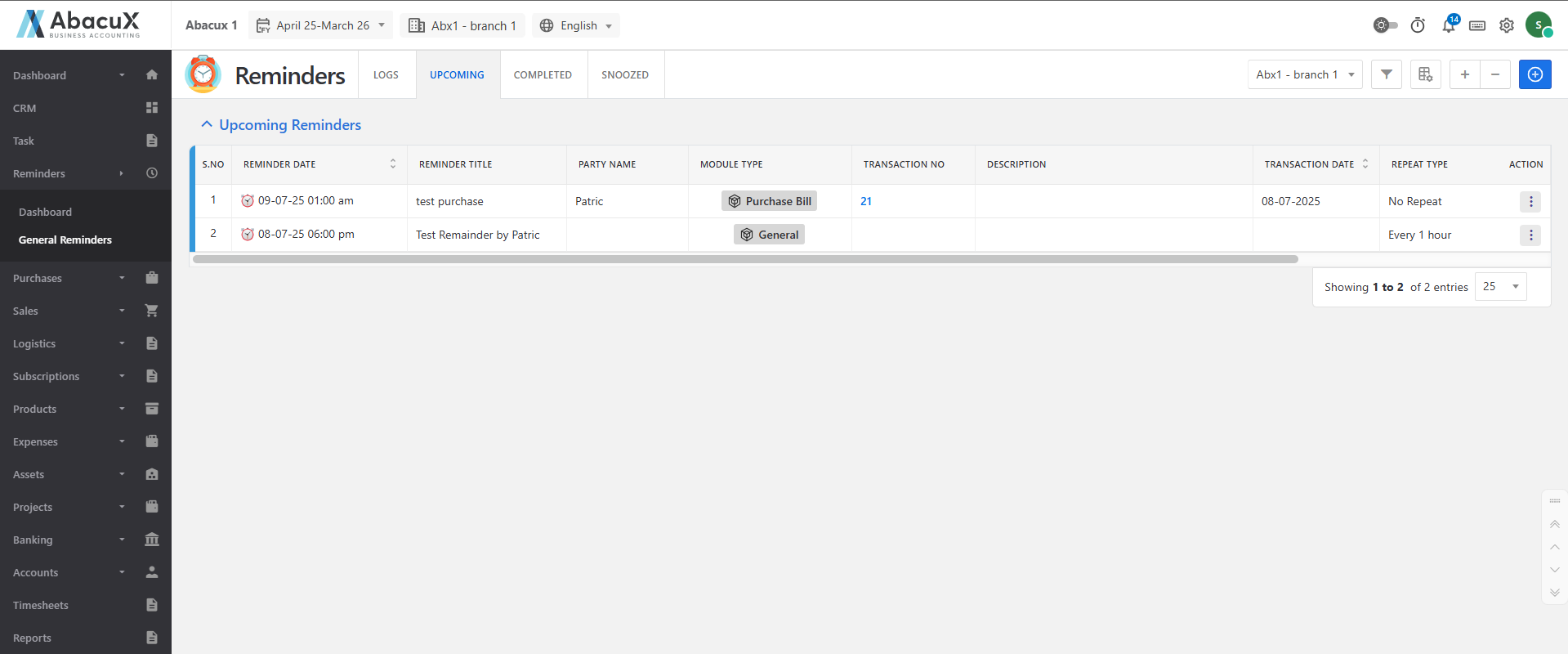
Click on the General Reminders menu to view the list of reminders.
-
The General Reminders section contains four main tabs, each used to categorize reminders.
-
The available tabs are:
Logs
- Displays all the logged reminder activities.
Upcoming
- Shows the list of upcoming reminders.
Completed
- Displays reminders that have been completed.
Snoozed
- Shows reminders that have been snoozed or temporarily paused.
-
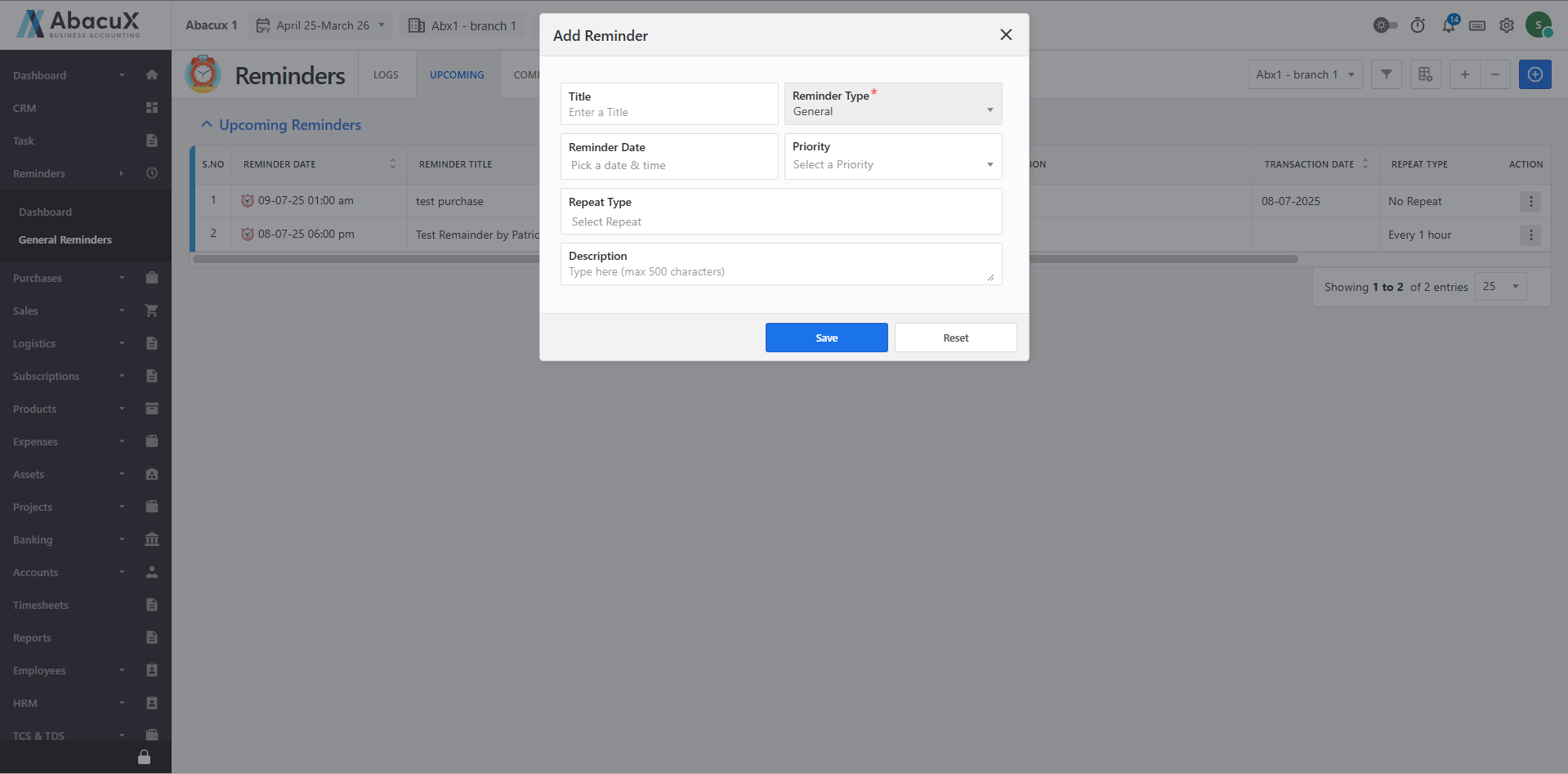
To add a new reminder, click the + button located at the top-right corner.
-
A form will open to enter the reminder details.
-
Fill in the required fields and save the form to create a new reminder.
-
Upon successful save, a success message will appear on the listing page.
-
If an error occurs while saving the form, an error message will be displayed.