Recurring Expenses
Recurring Expenses
A Recurring Expense refers to any cost that a business incurs on a regular basis, such as weekly, monthly, quarterly, or annually. These expenses typically include rent, utilities, software subscriptions, maintenance contracts, and other ongoing operational costs.
In your ERP application, the Recurring Expense feature allows you to automate the recording of such expenses by setting up templates that generate expense entries at specified intervals. This helps ensure accuracy, reduces manual entry, and improves financial tracking.
Key Features:
-
Define the frequency of recurrence (e.g., daily, weekly, monthly, yearly).
-
Set a start date and an optional end date for the recurrence.
-
Associate the recurring expense with specific vendors, categories, or cost centers.
-
Automatically generate expense bills based on the template settings.
-
Track upcoming, active, and expired recurring expense templates.
Benefits:
-
Saves time by automating repetitive data entry.
-
Ensures timely recording of regular business expenses.
-
Enhances budget planning and expense forecasting.
-
Reduces the risk of missed or delayed expense entries.
Managing Recurring Expenses
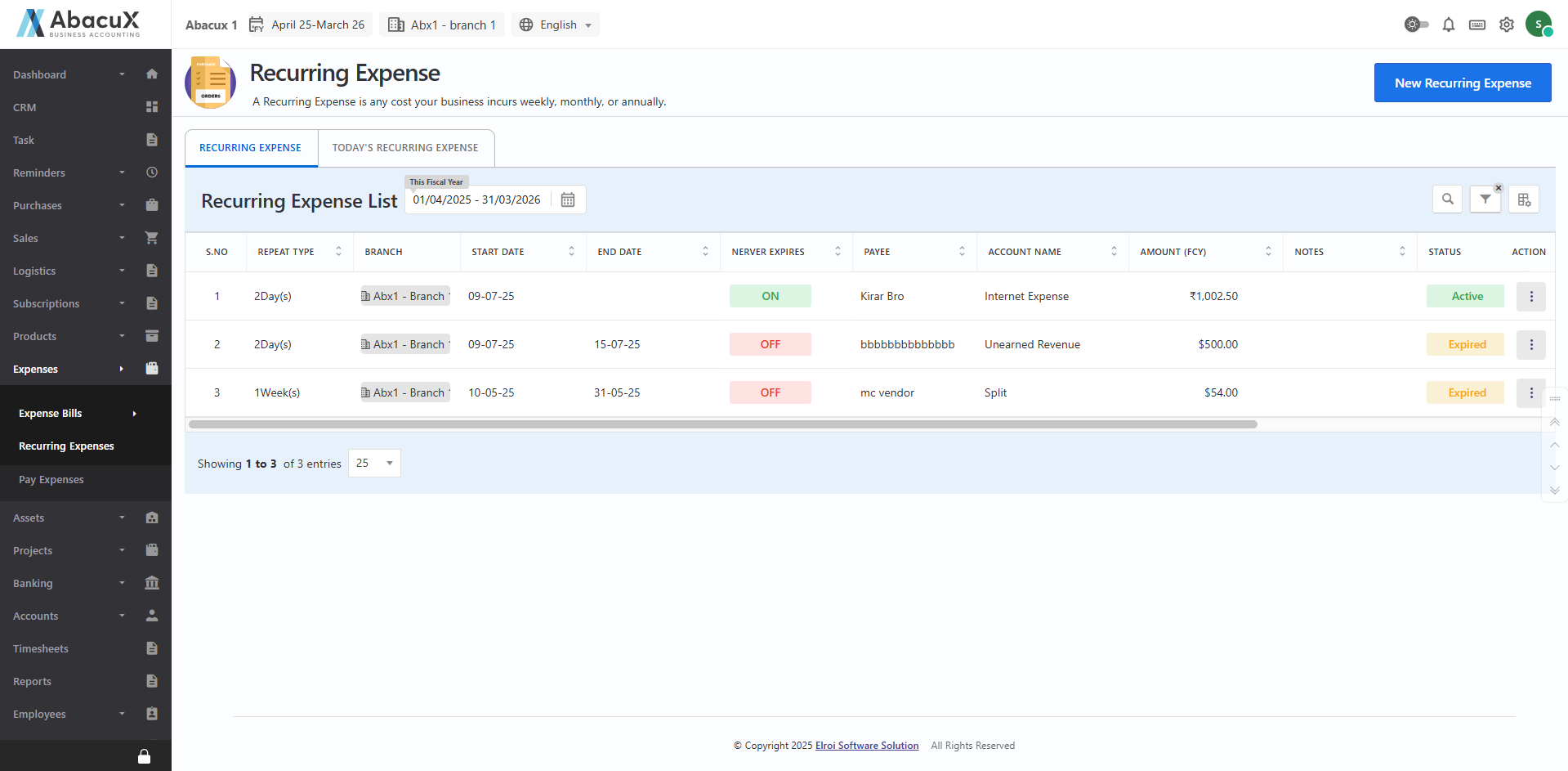
- Navigate to Recurring Expense under the Expense Bill menu to view the list of recurring expenses.
-
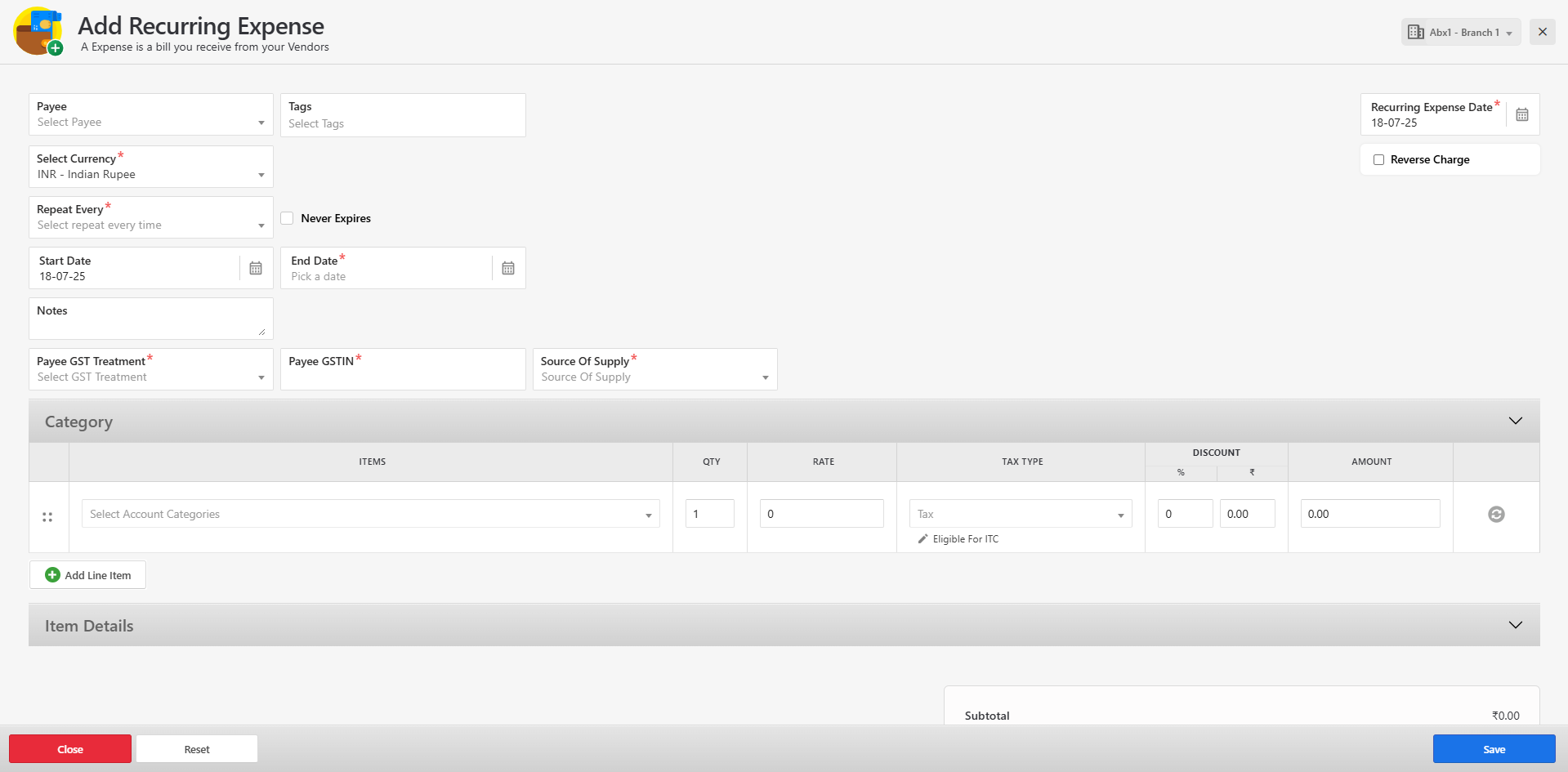
To add a new recurring expense, click the "New Recurring Expense" button located at the top right corner.
-
This will open a form where you can enter the recurring expense details.
-
Fill in all the required fields and click Save to create the recurring expense.
-
If the form is saved successfully, a success message will be displayed on the listing page.
-
If there are any errors during submission, the respective error messages will appear on the form itself.
-
You can manage the recurring expense entries using the following available actions:
View – To view the details of the recurring expense.
Edit – To update the recurring expense information.
Delete – To remove the recurring expense entry.
Set Active – To activate a previously inactive recurring expense.
Set Inactive – To deactivate an active recurring expense.
Today's Recurring Invoices
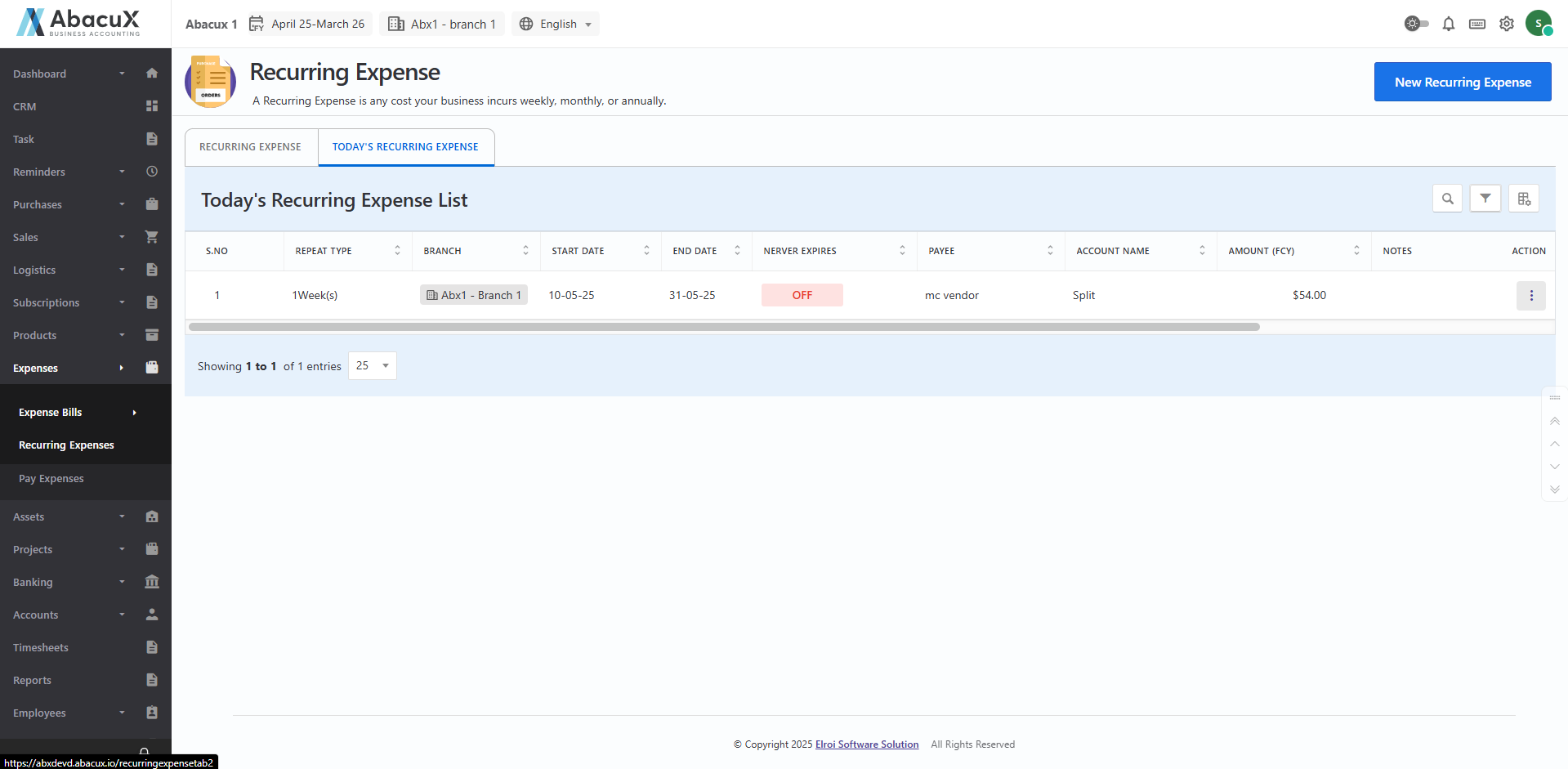
- Click on the "Today's Recurring Invoices" tab to view the list of recurring invoice items scheduled for today.
-
You can manage the listed items using the following actions:
View – To view the details of the recurring invoice.
Edit – To modify the invoice information.
Delete – To remove the recurring invoice from the list.
Set Active – To activate the recurring invoice.
Set Inactive – To deactivate the recurring invoice.