Services
Service Management
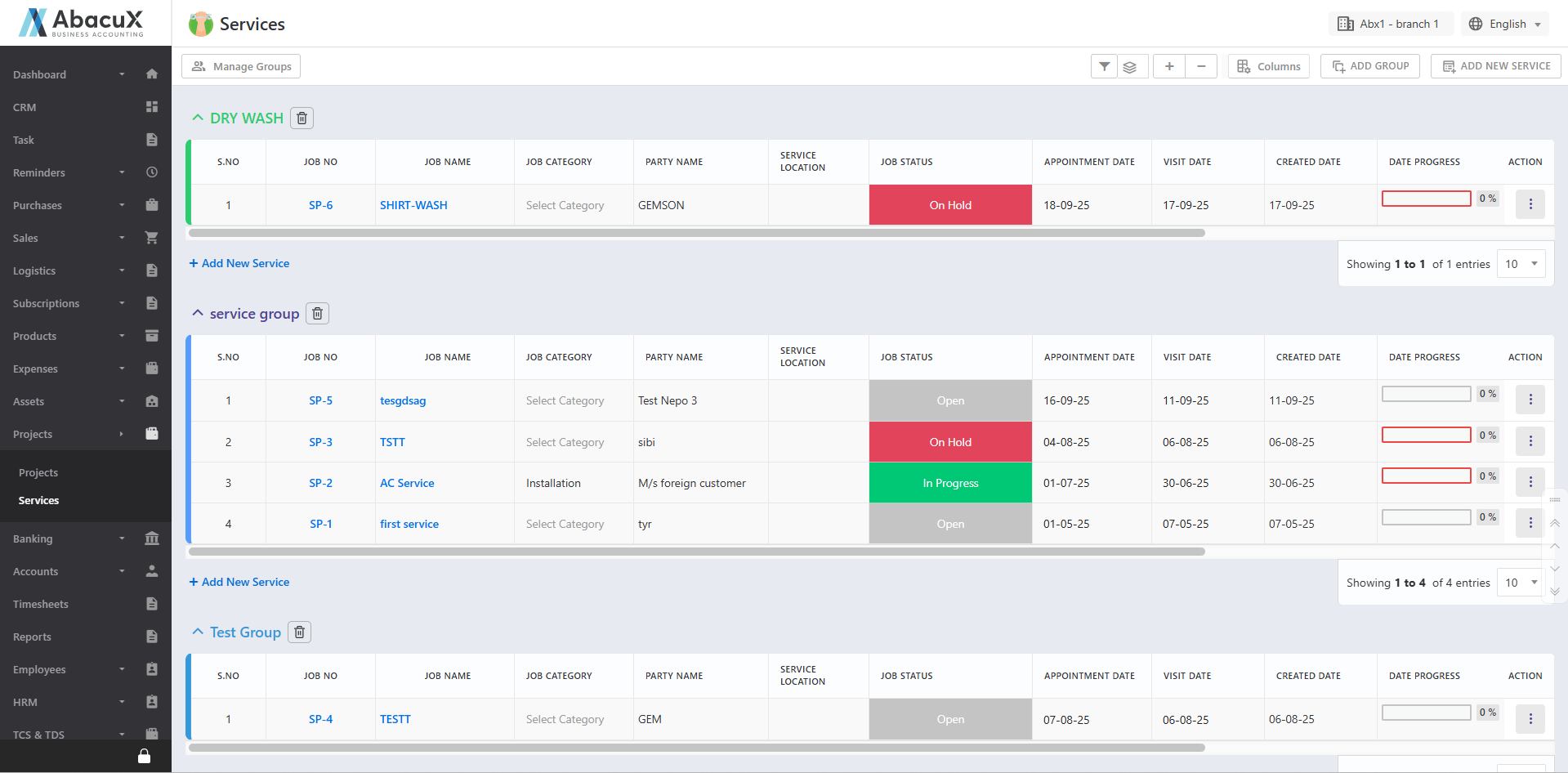
- Click the Services menu under the Services module to view the list of services.
-
Click on a Group Title to expand and view the services listed under that group.
-
Click the Manage Groups button to organize existing service groups.
-
A popup window will open displaying the list of service groups.
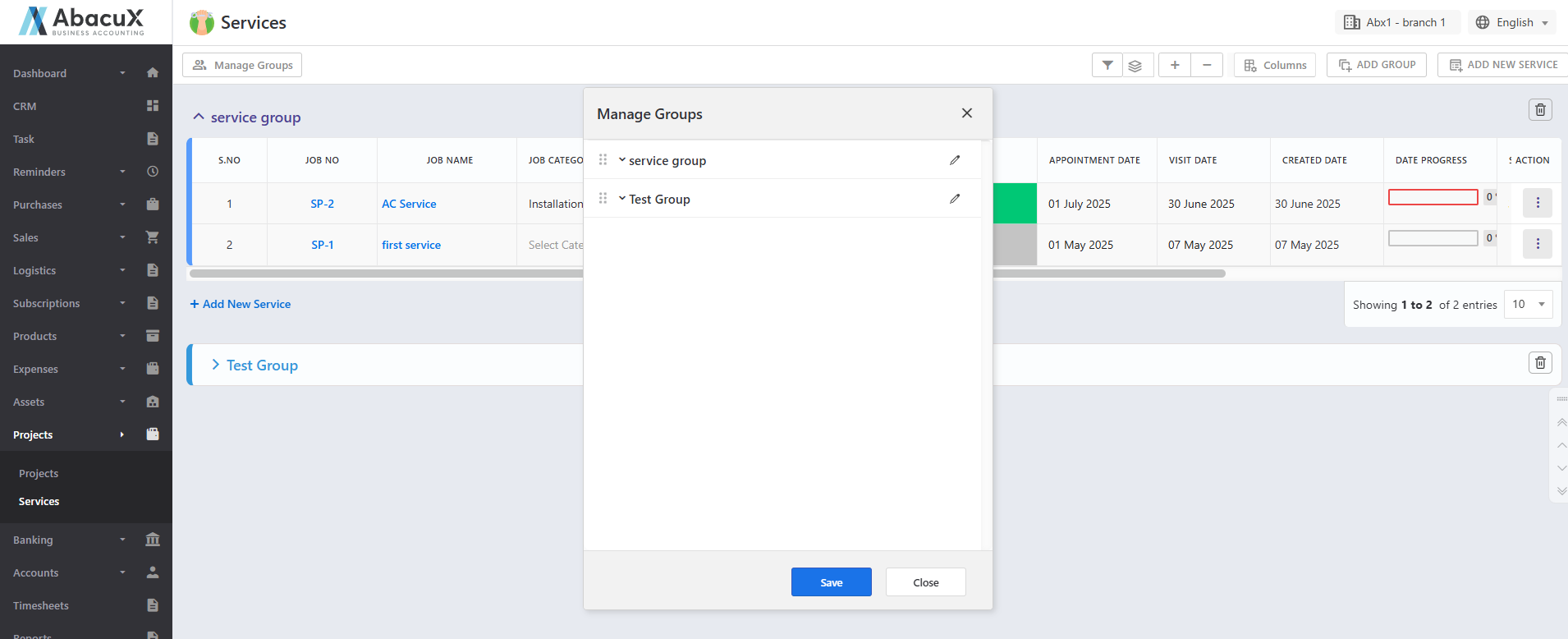
You may:
-
Drag and drop groups to rearrange their order
-
Edit a group to rename it
-
Delete a group if required
-
-
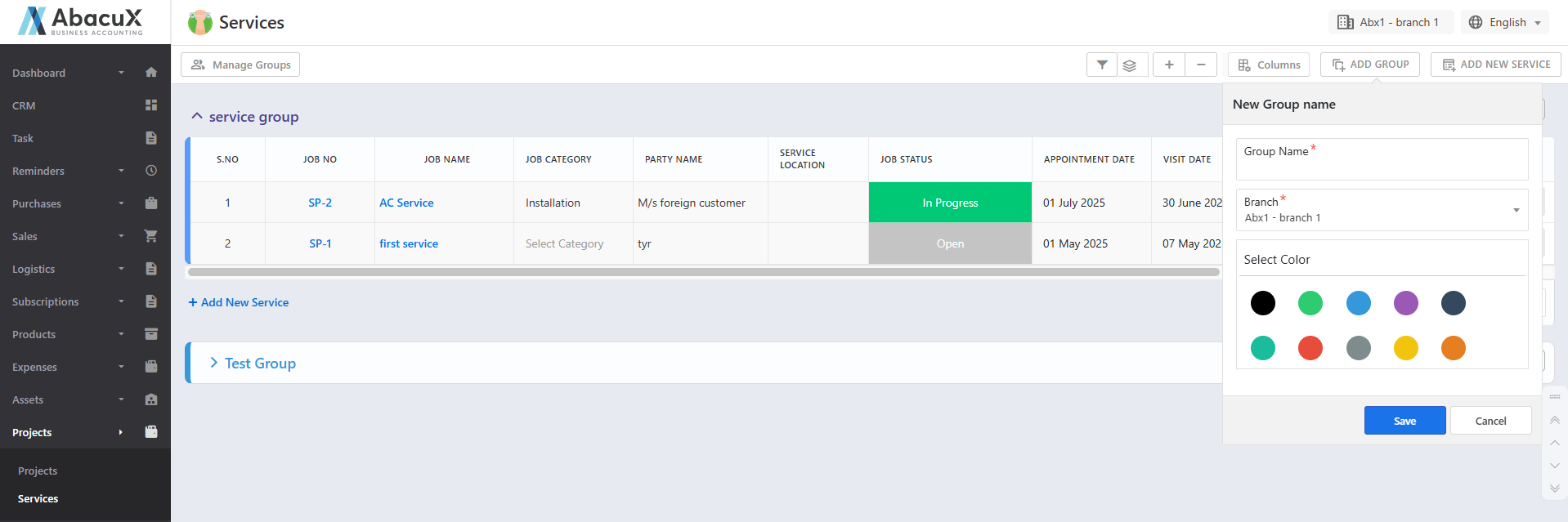
Click the Add Group button to create a new group.
-
A form will open to enter the details of the new group.
-
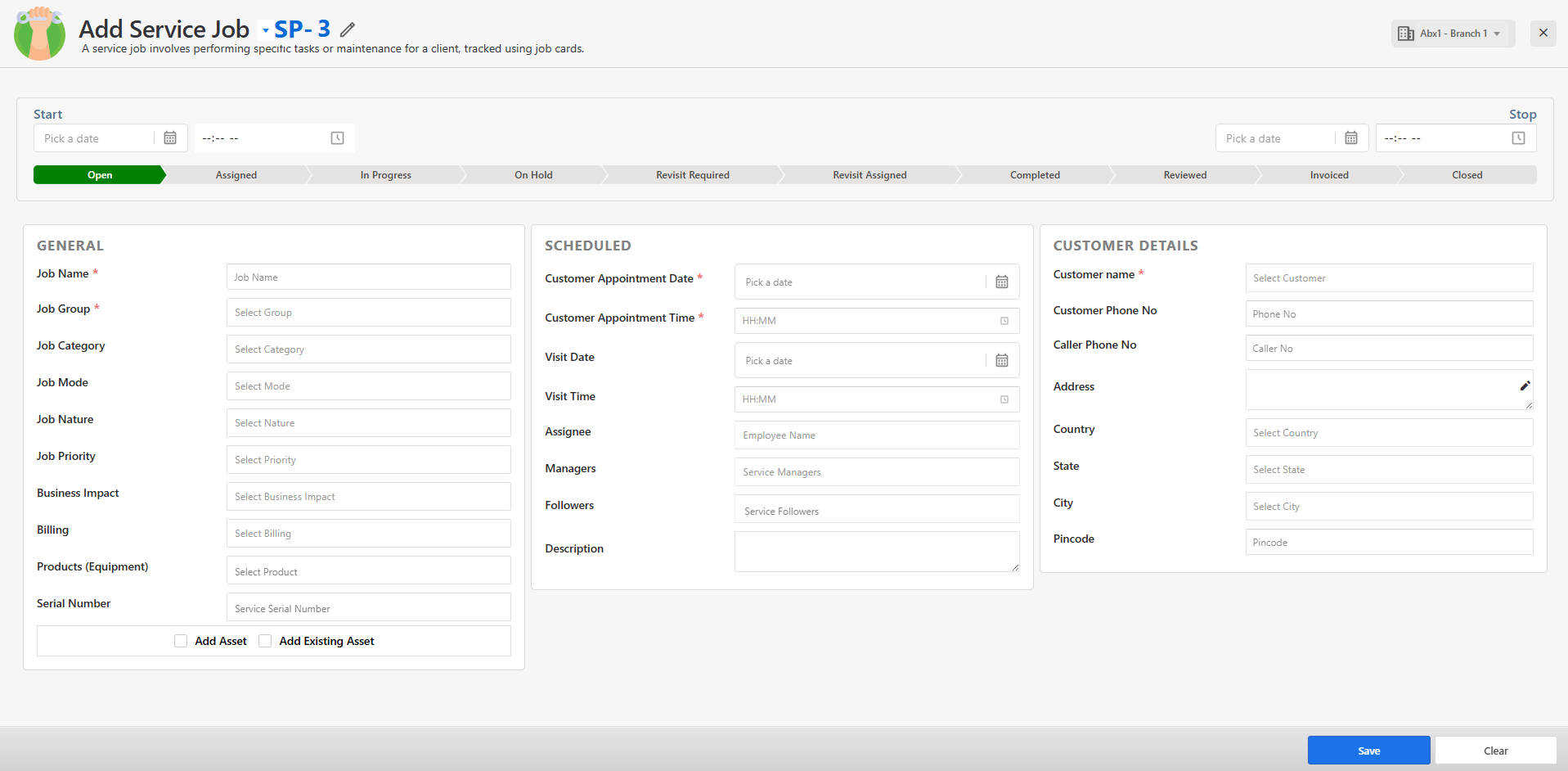
Click the Add Service button to create a new service.
-
This will open a form to capture the service details.
-
Fill in the required fields and save the form.
-
Upon successful submission, a success message will appear on the listing page.
-
If there is an issue during saving, an error message will be displayed.
-
Click the stack icon to group services based on the selected criteria.
-
Click on any service tile to open the Service Profile / Details page.
Service Details Page
The service profile page includes the following menu options:
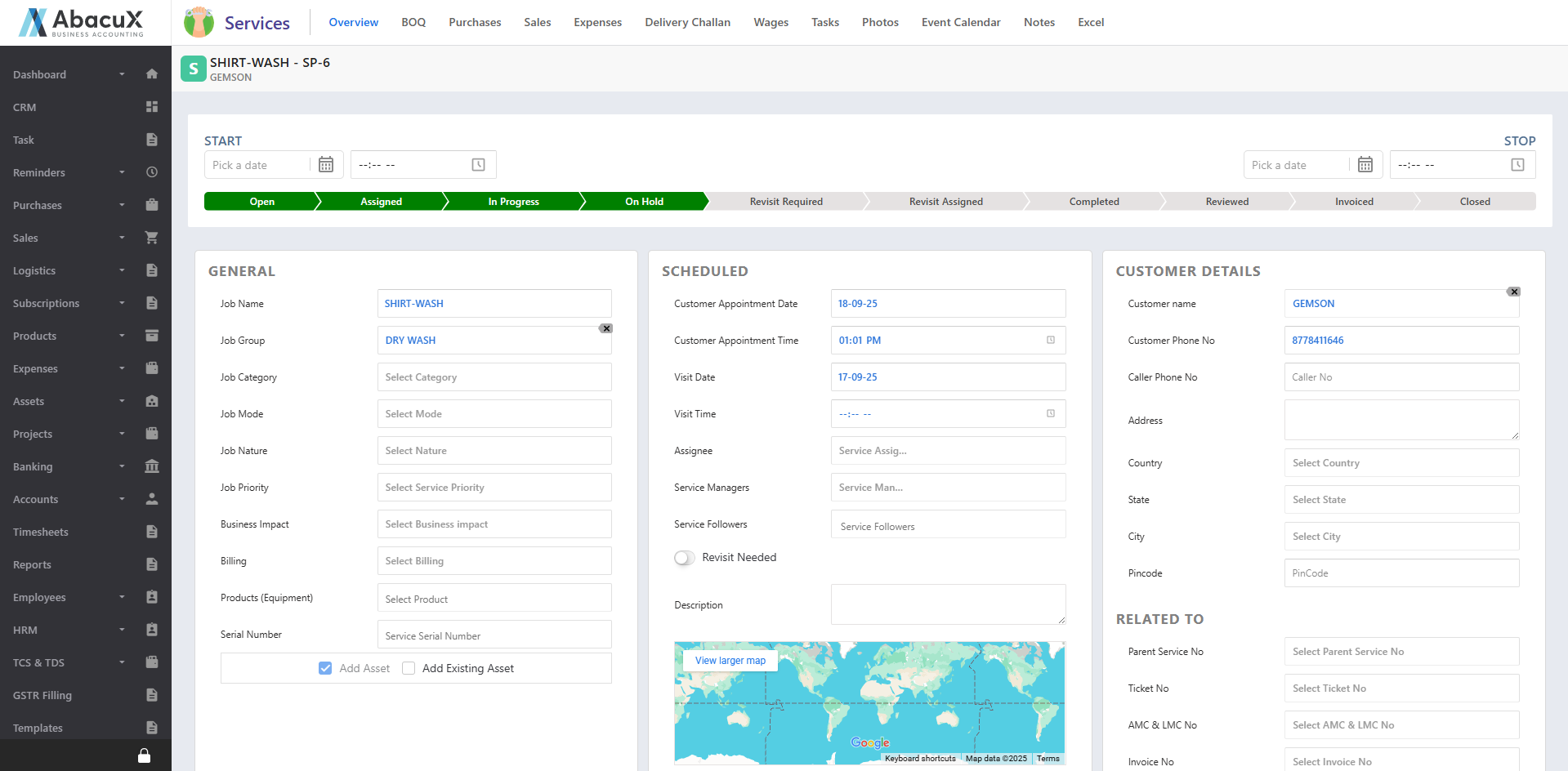
Overview Displays service details with an option to edit.
BOQ (Bill of Quantities) Displays the Bill of Quantities associated with the service.
Purchases Lists all purchase transactions linked to the service.
Sales Displays sales records associated with the service.
Expenses Shows expenses incurred for the service.
Delivery Challans Lists all delivery challans related to the service.
Stock Transfers Displays stock transfer transactions associated with the service.
Manual Journal Lists manual journal entries linked to the service.
Wages Shows wage entries recorded for the service.
Tasks Displays tasks associated with the service.
Photos Allows viewing of photographs and visual documentation of service activities.
Event Calendar Shows service-related events in a calendar view.
Notes Stores additional notes and documentation linked to the service.
Excel Provides an option to store and view structured excel-based data related to the service.