UI and UX Tutorials
UI / UX content comes here...
Basic Style notes
Content comes here...
How to apply class
Content comes here...
Custom class
Take care
Add this class carefully, Do not set random z-index for DIV elements.
Content comes here...
Color Codes
My tip
Use these color codes for the particular items
Title
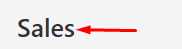
Dashboard Title
.heading_for_tools{
    font-size: 25px;
    font-weight: 600;
    line-height: 37px;
}
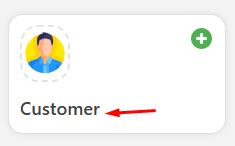
Dashboard Tools section
.tools_section {
    font-size: 18px;
    font-weight: 600;
    color: #404040;
    width: fit-content;
}
.tools_section:hover {
    color: #1a73e8;
}
Dashboard Tools section
.title_style {
    font-weight: 500;
    letter-spacing: -1px !important;
    white-space: nowrap;
    margin-top: 0 !important;
}
Sub-title
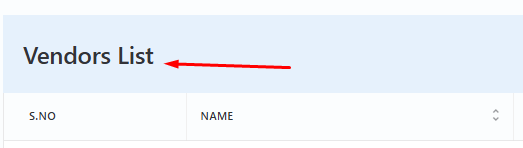
Module table title
.table_title {
    font-weight: 500 !important;
    text-transform: capitalize !important;
    font-size: 24px !important;
    white-space: nowrap;
}
Content

Module content
.table_title {
    font-weight: 500 !important;
    text-transform: capitalize !important;
    font-size: 24px !important;
    white-space: nowrap;
}
Table Header

Table Headers
.table thead tr th .table-head {
    display: flex;
    justify-content: space-between;
    align-items: center;
}
Links

Links in table
.content_link {
    cursor: pointer;
    color: #0073ea;
}
Icons
Important
Take care the icon size and proper placement.

Page Header Icon
.title_border img {
    width: 63px !important;
}
Buttons
Code Blocks
Markdown code blocks are supported with Syntax highlighting.
src/components/HelloDocusaurus.js
function HelloDocusaurus() {
  return <h1>Hello, Docusaurus!</h1>;
}
My tip
Use this awesome feature option
Take care
Add this class carefully, Do not set random z-index for DIV elements.