Timesheets
Timesheets
The Timesheets module is designed to help businesses track the time spent by employees or teams on specific tasks, projects, or customer assignments. It is particularly useful for service-based businesses that bill clients based on hours worked or require time tracking for productivity, payroll, or project management purposes.
Purpose
The Timesheet module enables accurate time logging for internal performance analysis and customer billing, ensuring transparency, accountability, and data-driven decision-making.
Key Features
-
Project & Task Allocation: Assign employees to specific projects and tasks for time tracking.
-
Daily/Weekly Timesheet Entries: Log hours spent per day for each project or task.
-
Billable & Non-Billable Hours: Distinguish between billable and non-billable time for accurate invoicing.
-
Timesheet Approval Workflow: Submit timesheets for manager review and approval.
-
Time Reports & Exports: Generate detailed reports of time entries by user, project, customer, or period.
-
Integration with Invoicing & Payroll: Use approved timesheet data for billing customers or calculating payroll.
Manage Timesheets
- Navigate to the Timesheet section under the Timesheets menu.
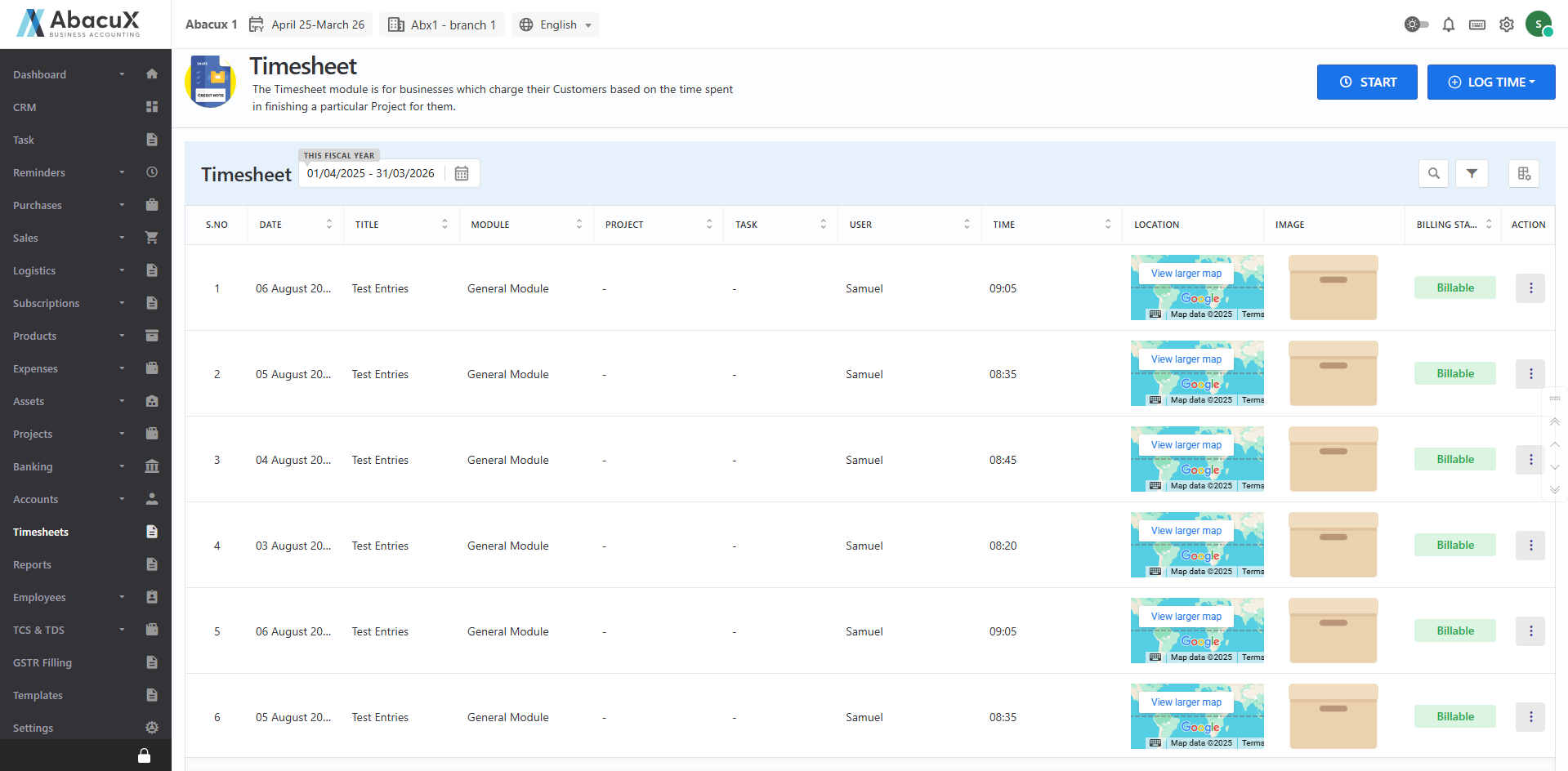
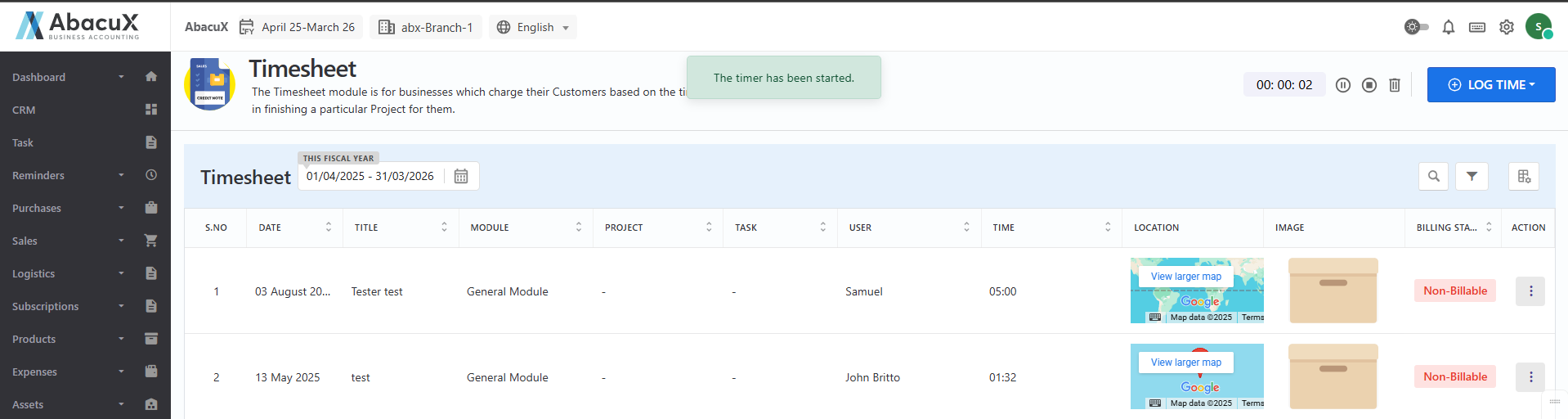
- Click the Start button located at the top-right corner to begin the timer for a live timesheet entry.
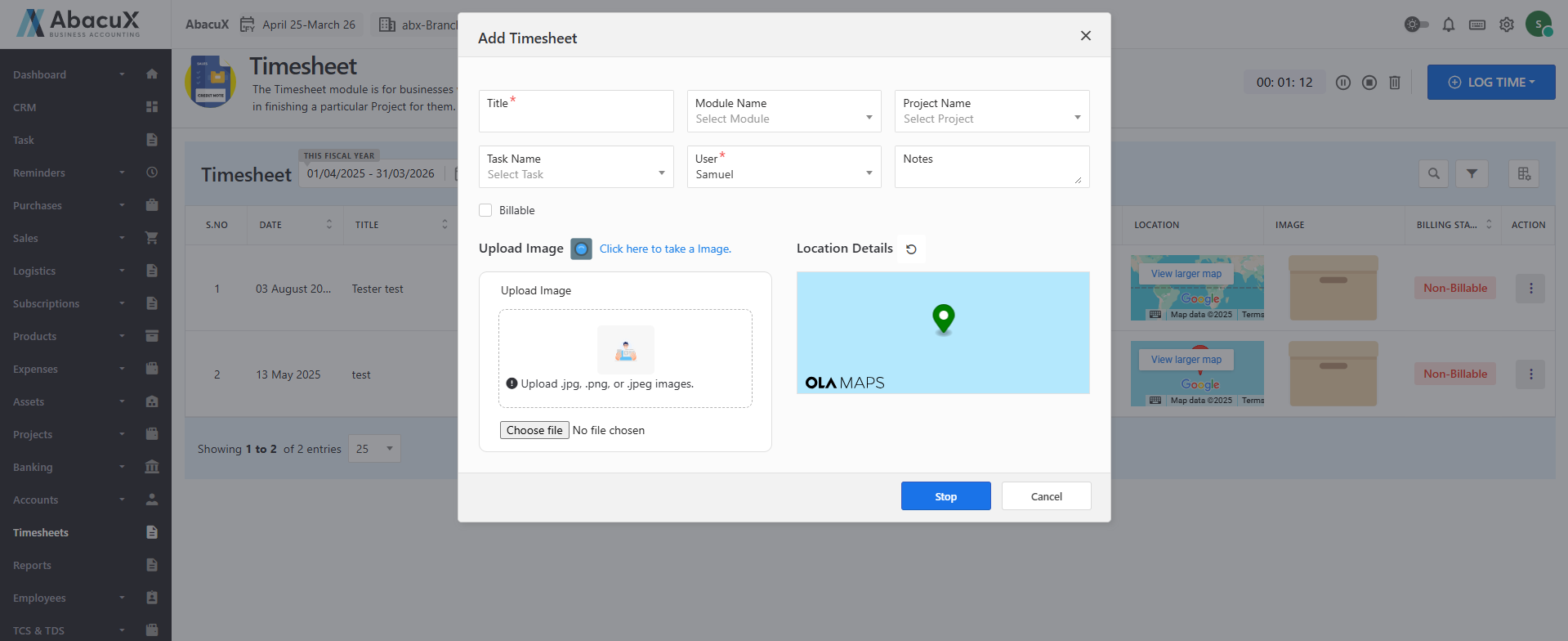
- When you click Stop, a form will appear prompting you to enter additional details related to the time log entry.
-
To manually log a time entry, click the Log Time button. A dropdown will appear with two options:
-
Log Time
-
Weekly Log
-
-
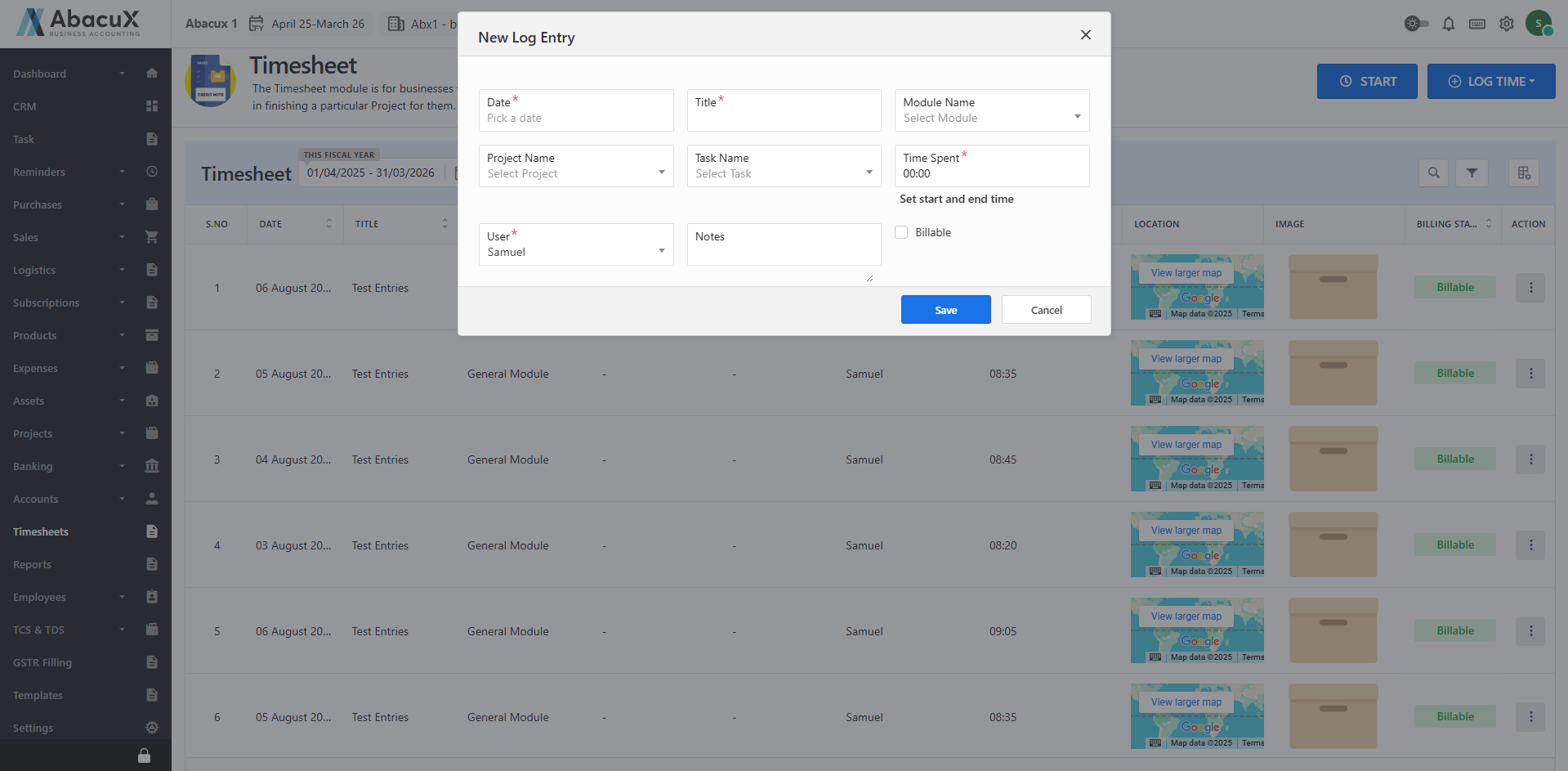
If you select Log Time, a form will open for creating a single time log entry.
-
The form allows you to enter details for an individual time entry.
-
Fill in all the required fields and click Save to record the entry.
-
If you choose Weekly Log, a form will appear to enter time logs for an entire week.
-
Fill in the required fields for each day and click Save to submit the weekly time log.
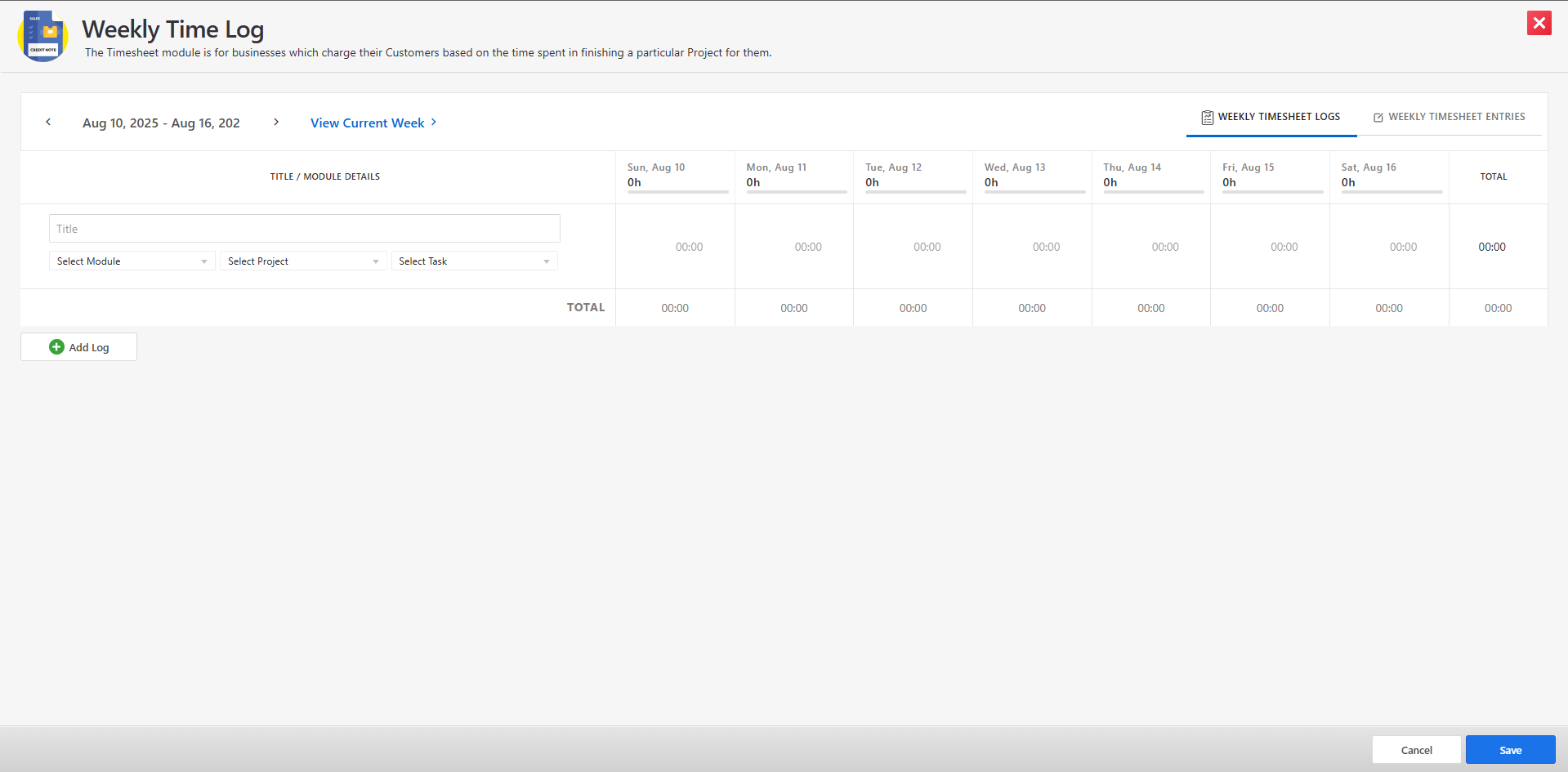
-
Upon successful submission, the time entries will be displayed on the main Timesheet listing page.
-
Click the Weekly Timesheet Entries tab to display all time log entries recorded for the selected week.
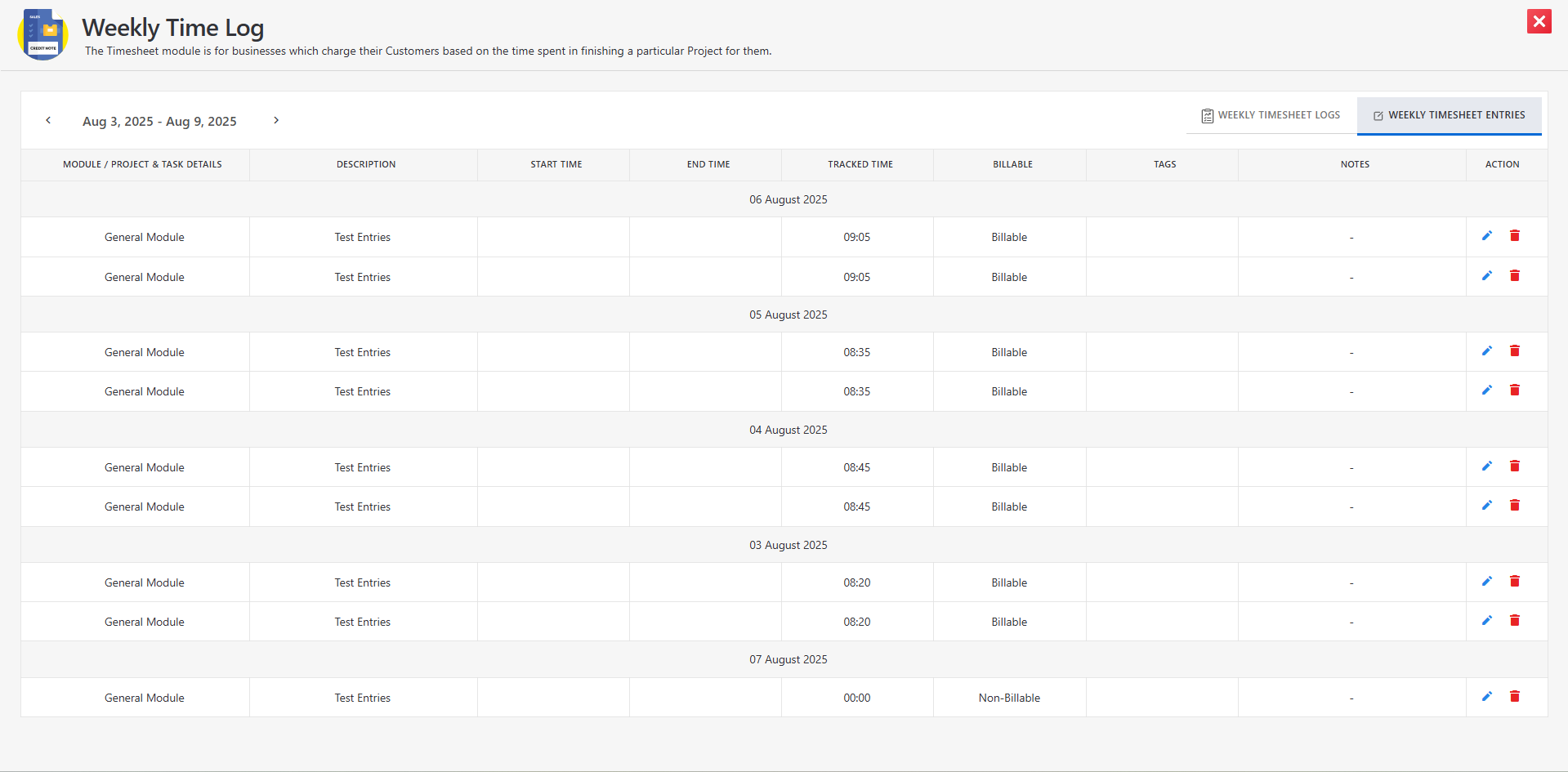
-
You can manage the timesheet entries using the following actions:
-
Edit Log
-
Edit Weekly Log
-
Delete
-
Comments
-
Benefits
-
Facilitates accurate and timely customer billing.
-
Enhances visibility into employee productivity and project progress.
-
Supports compliance with contractual and legal time-tracking requirements.
-
Reduces manual effort in consolidating timesheet data for invoicing and payroll.